


Users can use this streamlined process to mitigate the risk of manual entry errors and significantly accelerate data input, improving productivity. The procedure is as follows:
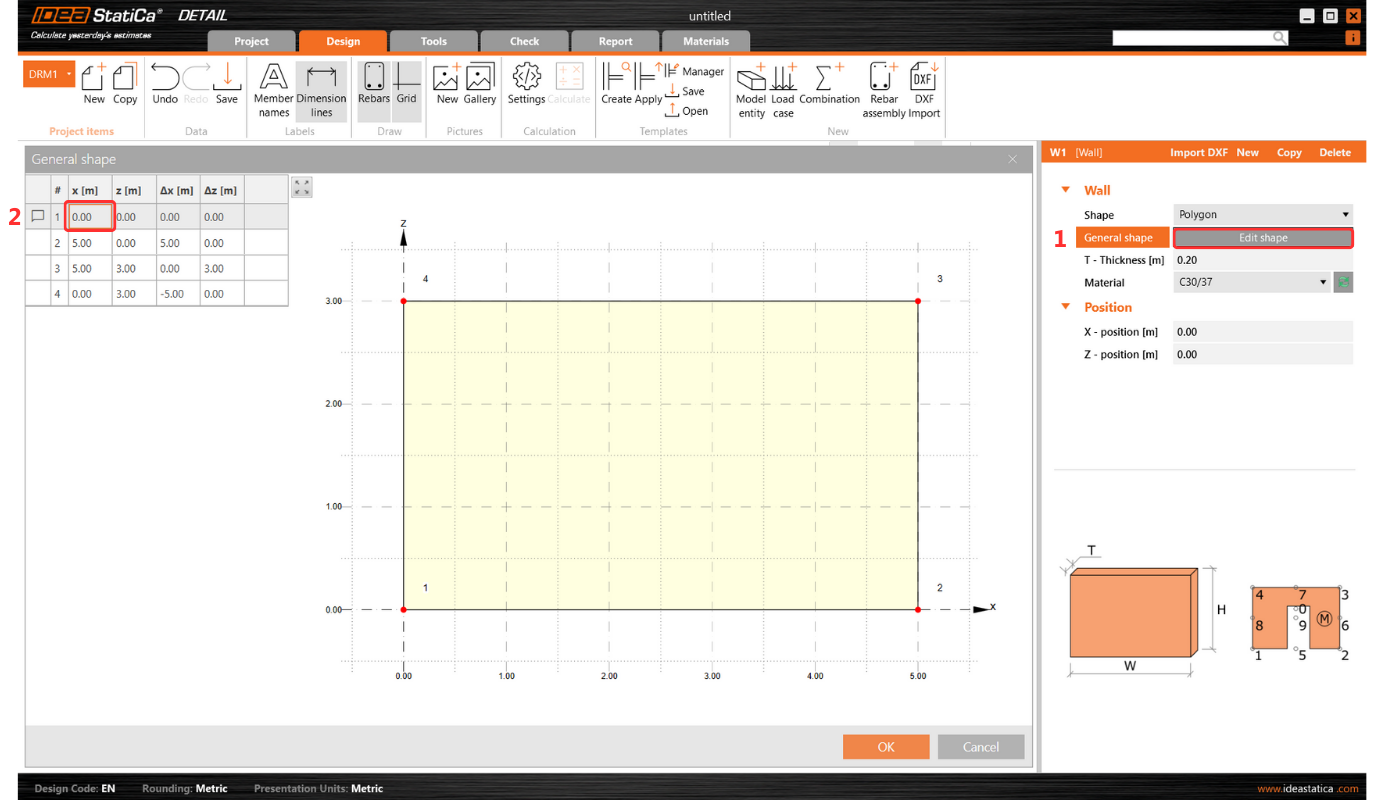
1. Initiate the process by selecting the first (top left) cell in the table input in IDEA StatiCa Detail. Press ESC after the first click to prepare the cell for new input.
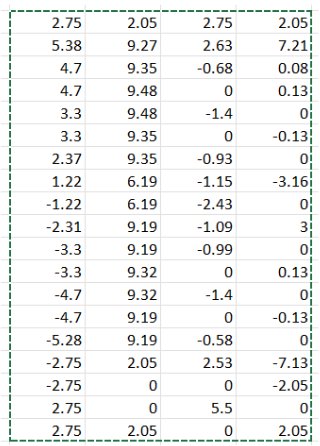
2. Copy the desired table from any table sheet.
3. Paste (Ctrl+V) the copied table into the table within IDEA StatiCa Detail.
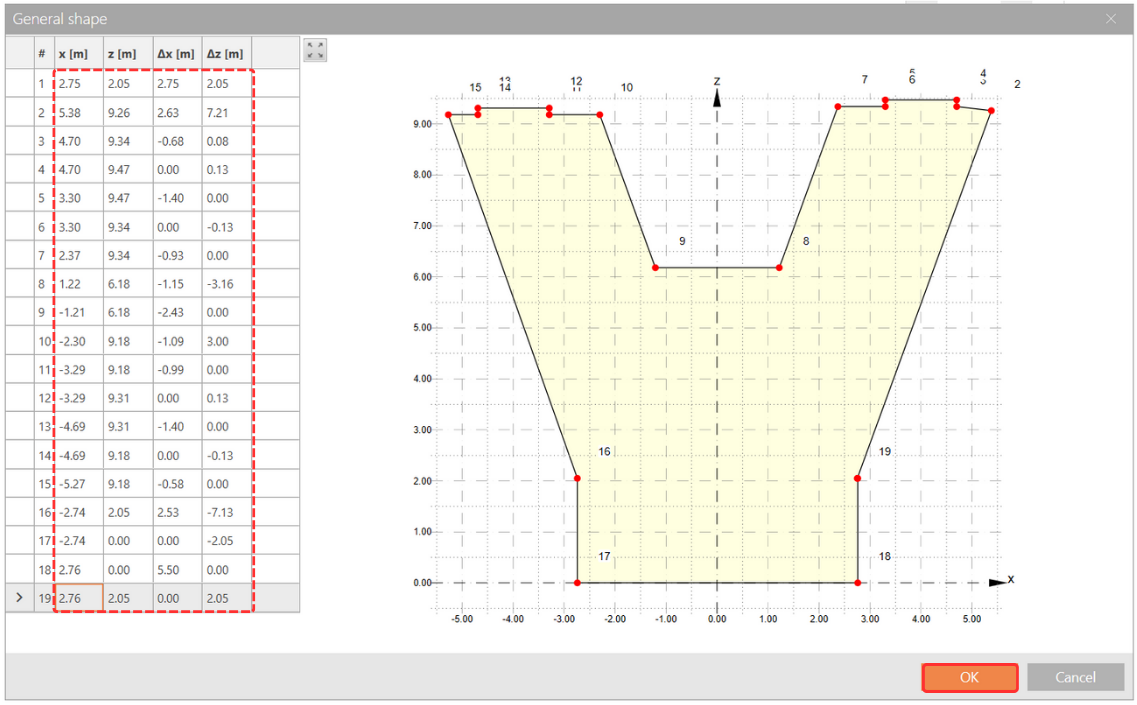
The Detail table will automatically adjust to match the dimensions of the Excel table.
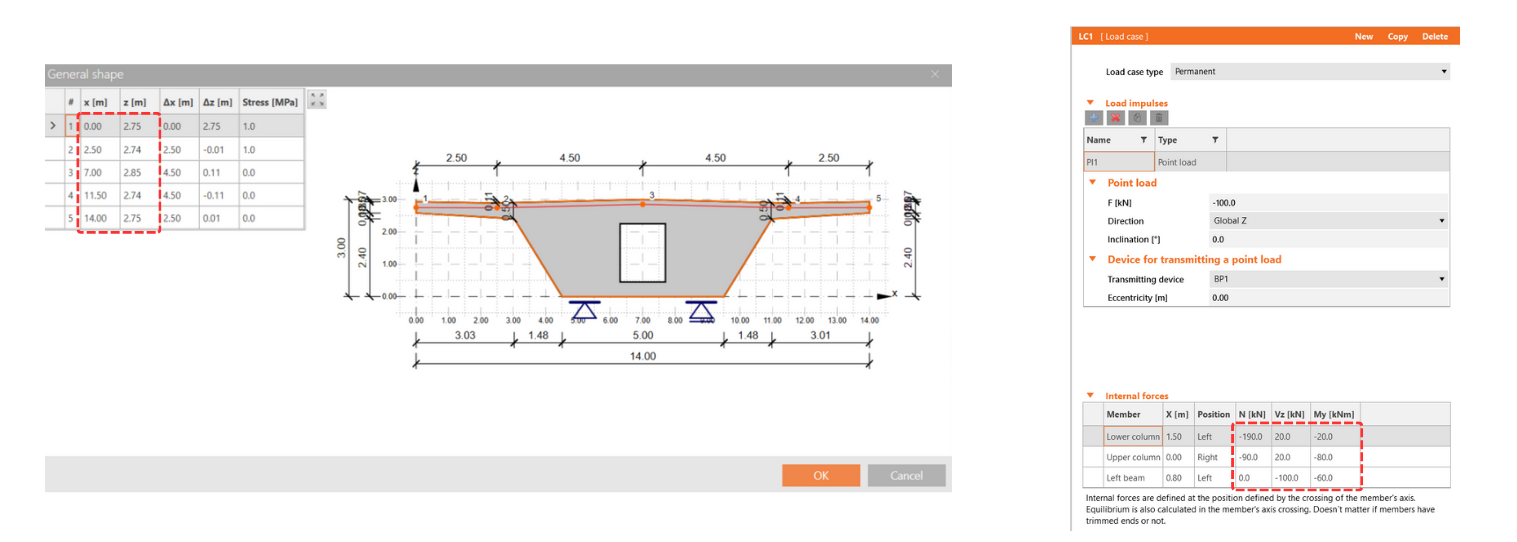
This feature applies to all tables in IDEA StatiCa Detail, including those for Internal Forces and Reinforcement or Shape Definition, offering a much-needed solution for efficient and error-free data entry.
Released in IDEA StatiCa patch 23.1.2.