


It is not necessary to manually modify the IdeaConnection.exe.config file in the root folder, which would be time-consuming and inconvenient.
Thanks to the raising numbers of advanced users of IDEA tools, it is enough to just enable the Developer mode in Project tab/Preferences.
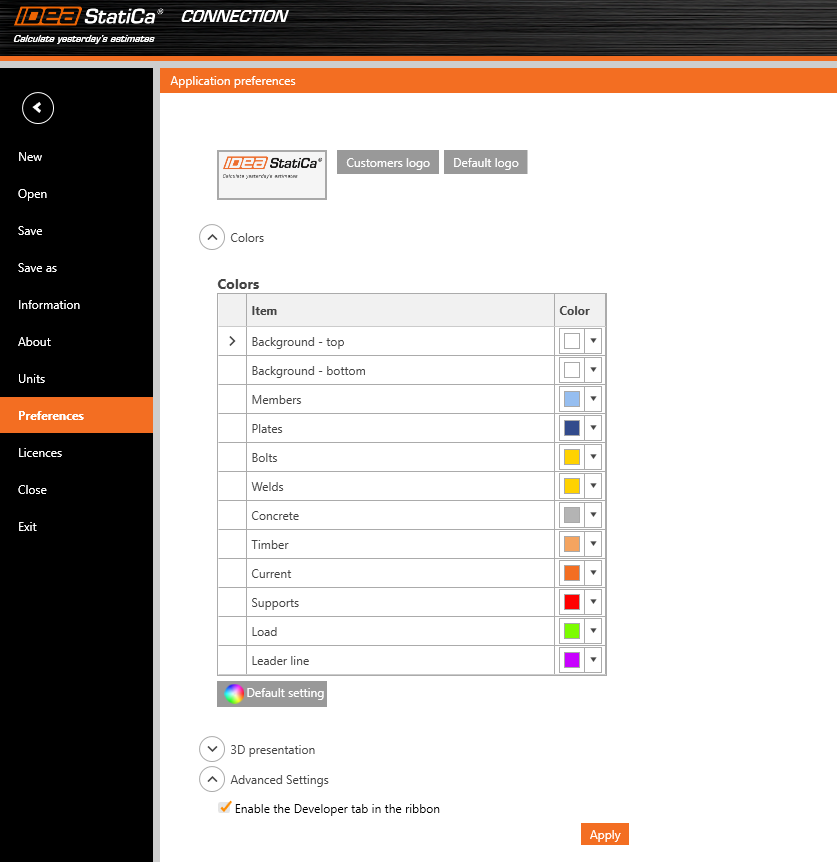
This brings the user a new tab in the main toolbar, with additional features.

Export IOM:
- Model – export the model data through IOM (Idea Open Model) in .xml format
- Conn Data – export the model data through IOM in .json format
Template:
- Save as – the user can save the connection model properties in the Idea Template (.IdeaTemp) format
- Apply – the user can apply Idea Template format to the whole Connection model (all members are involved)
- Simple – the user can apply Idea Template format to a selected part of the Connection model (only selected members are involved)
There is also a property grid window part-displayed with two separate tables:

Parameters table – this provides the user with the set of IOM parameters that are available to use for parametric design
Model parameters – this allows joining the specific IOM parameter with the specific Model parameter of the current Connection project
For more information about these features, please visit our GitHub page
https://github.com/idea-statica/ideastatica-public/wiki/Developer-Mode-Parameters#parameter-input
https://github.com/idea-statica/ideastatica-public/wiki/Reference-Guide-Expression-Parameters
This feature can be found in the applications Connection and Member.
Available in both Expert and Enhanced editions of IDEA StatiCa Steel.