


It is not necessary to manually modify the IdeaConnection.exe.config file in the root folder, which would be time-consuming and inconvenient.
Thanks to the raising numbers of advanced users of IDEA tools, it is enough to just enable the Developer mode in Project tab/Preferences.
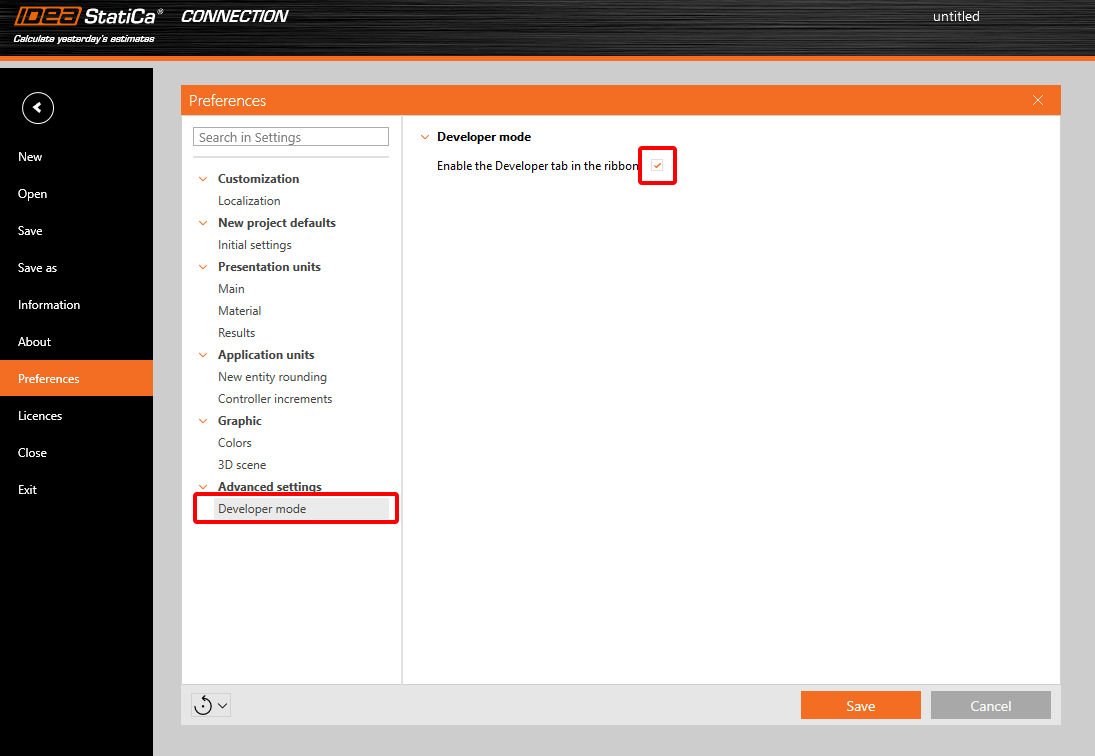
This brings the user a new tab in the main toolbar, with additional features.

Export IOM:
- Model – export the model data through IOM (Idea Open Model) in .xml format
- Conn Data – export the model data through IOM in .json format
Template:
- Save as – the user can save the connection model properties in the Idea Template (.IdeaTemp) format
- Apply – the user can apply Idea Template format to the whole Connection model (all members are involved)
- Simple – the user can apply Idea Template format to a selected part of the Connection model (only selected members are involved)
There is also a property grid window part-displayed with two separate tables:

Parameters table – this provides the user with the set of IOM parameters that are available to use for parametric design
Model parameters – this allows joining the specific IOM parameter with the specific Model parameter of the current Connection project
Other improvements are described in the UX Improvements of Parametric design article.
For more information about these features, please visit our GitHub page
https://github.com/idea-statica/ideastatica-public/wiki/Developer-Mode-Parameters#parameter-input
https://github.com/idea-statica/ideastatica-public/wiki/Reference-Guide-Expression-Parameters
This feature can be found in the applications Connection and Member.
Available in both Expert and Enhanced editions of IDEA StatiCa Steel.