
Idea Statica
Steel
Concrete
BIM & Workflows
Support & Learning
Pricing
Company
14-Day Trial
How to extend length of a member by a cut
SteelConnection designMember designKnowledge baseConnection

How to extend length of a member by a cut

This article is also available in
ENDEESFRITPTNLHURO

Need to extend the beam beyond the center of the joint? Operation Cut can help you to change the length of the member.

To extend a member you don't need to apply eccentricities. Never define the Offset ex to extend member, it can lead to the incorrect geometry definition and produce extra bending moment because of the eccentricity from the node.
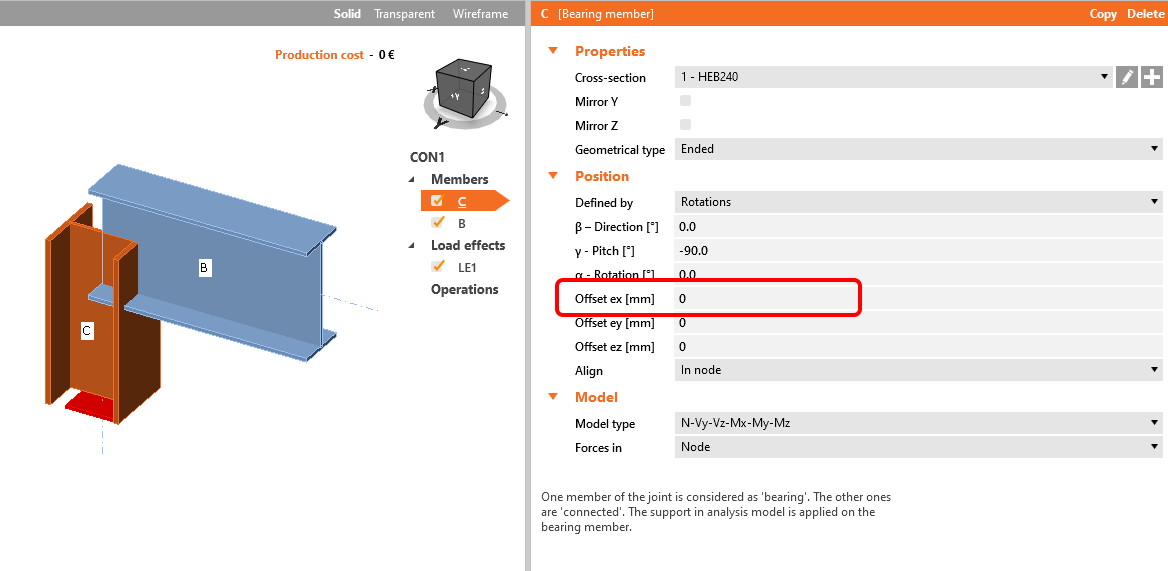
Zero offset

The correct way is to add the Cut of member manufacturing operation. To extend the member towards the farther edge of the connected member or plate, select the Cutting plane type as Farther and turn on the Extend the member setting.

You can also apply an Offset to extend the member even more over the corresponding edge.
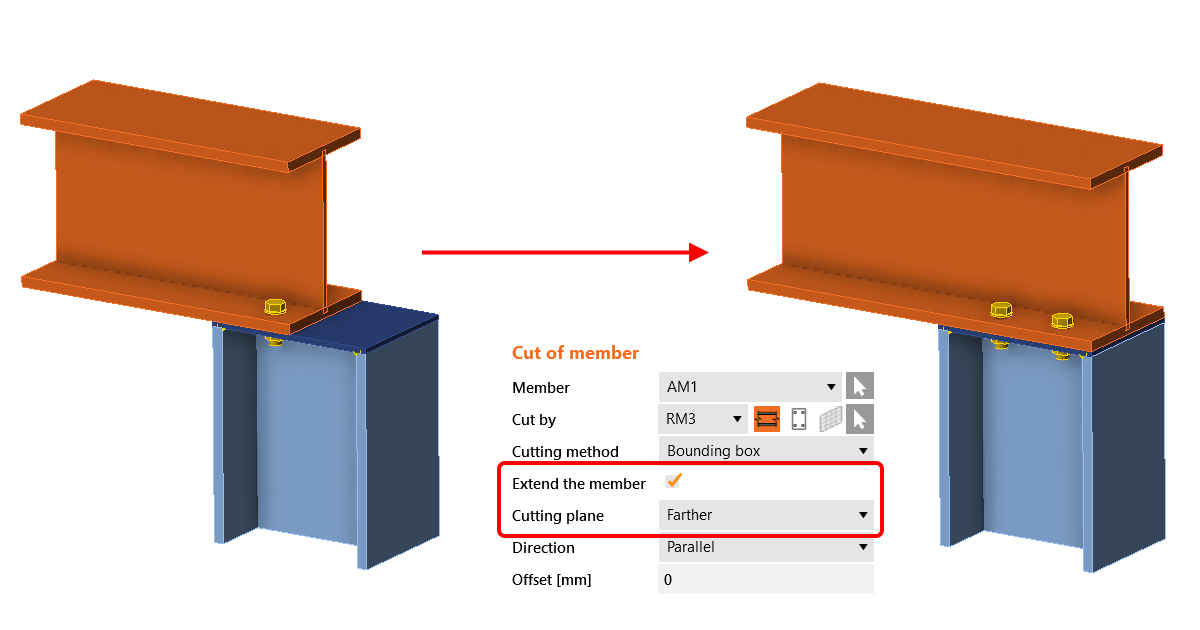
Extend the member using the cut operation

Subscribe to our newsletter

Company

  • About us
  • Partnerships
  • Job openings
  • Patented technology for structural engineers

Resources

  • Customer projects
  • Case studies
  • IDEA StatiCa Connection Library
  • Concrete verifications

Legal

  • IDEA StatiCa END USER LICENSE AGREEMENT
  • Privacy policy
  • Terms of Services – IDEA StatiCa Viewer
  • Licensing

Help

  • Contact
  • Get price quote
  • IDEA StatiCa Specialists
  • Download the latest version
FacebookInstagramLinkedInYouTube

© IDEA StatiCa 2009-2026

Trusted and used worldwide by engineers, fabricators & consultants.