


All users can submit a question to technical support. To submit a new support case, please sign in to the User portal. To enter the portal, click on the login icon, sign in with your IDEA StatiCa credentials, and navigate to the tab Cases.
Click Create a new case. By selecting the application and typing the case title, the system first offers you related articles from the Support Center.
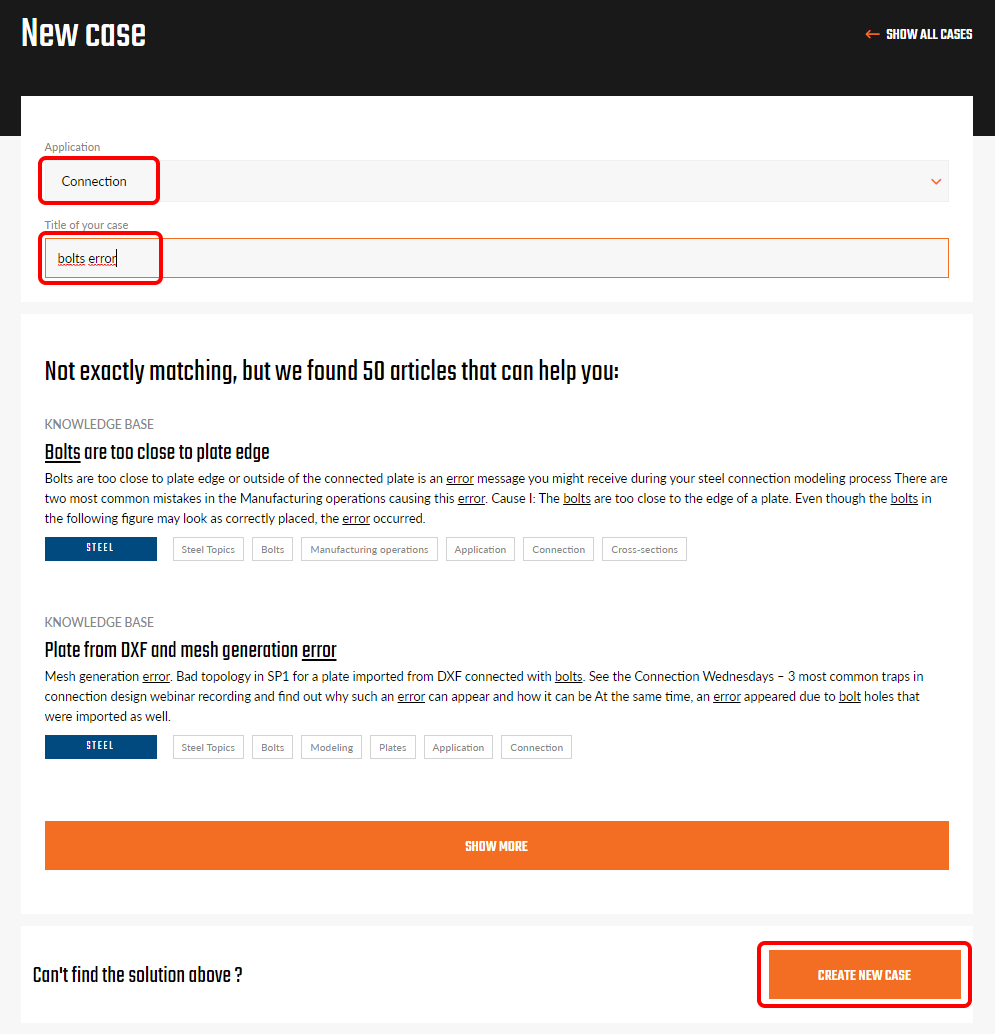
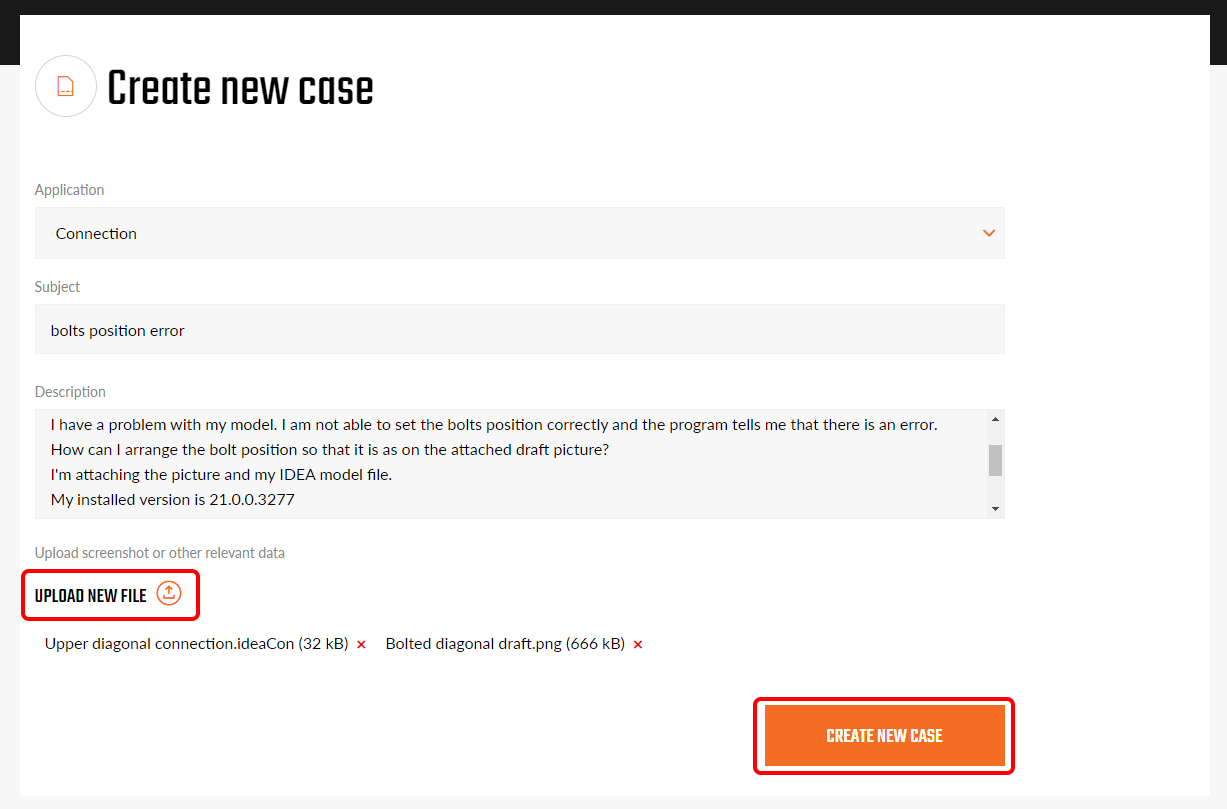
If you don't find the answer instantly in the provided articles, you can continue creating the case. In order to speed up the support process, please always provide full information, such as:
- An exact description of the problem
- Screenshots and pictures describing the problem
- Project files (IDEA StatiCa file and other software files in case of BIM workflow)
- The version of IDEA StatiCa and other software in case of BIM workflow
- Log files saved automatically on your computer
All submitted cases are visible to all users within the account. You and your colleagues can browse the cases, view and download their content, and add more comments.
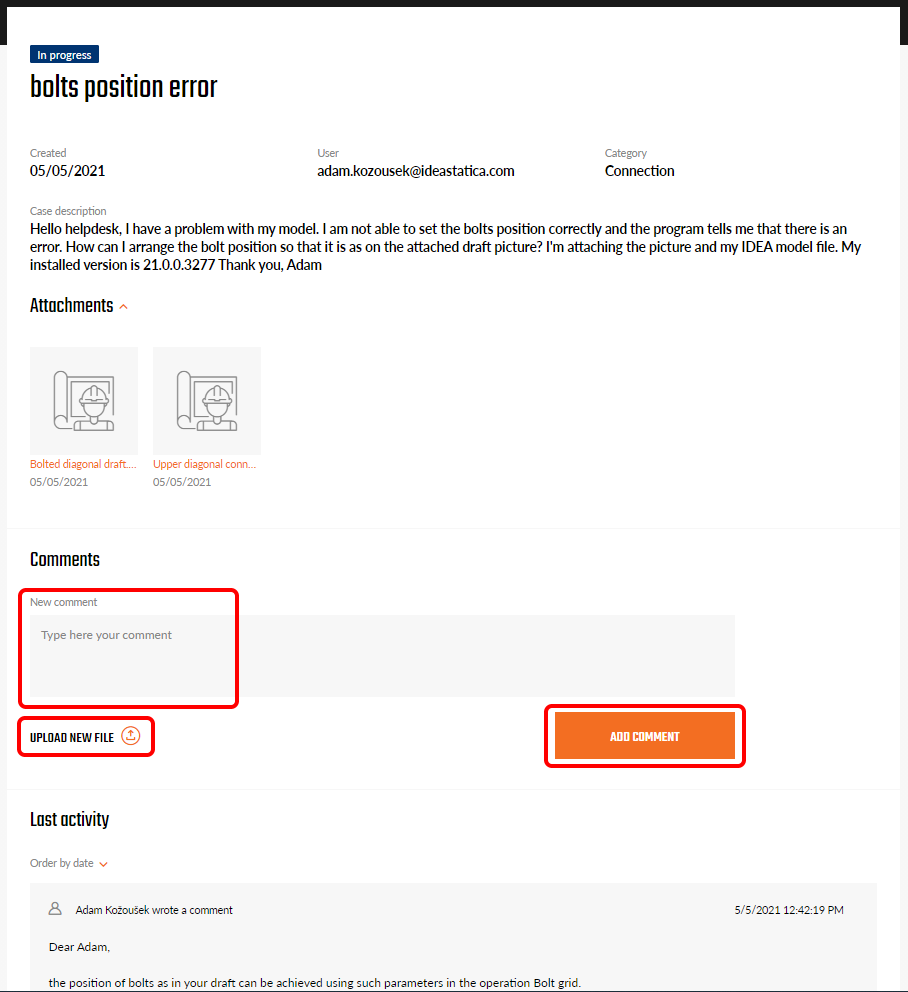
The status of a case is set automatically. New for the newly submitted cases and In progress for cases being processed or where we are waiting for your response. Resolved cases are set as Closed and archived.