
Idea Statica
Steel
Concrete
BIM & Workflows
Support & Learning
Pricing
Company
14-Day Trial
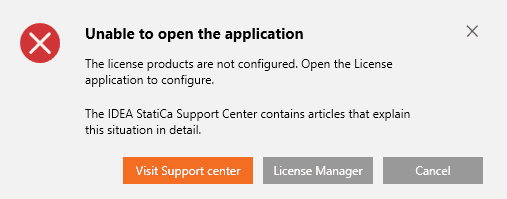
Error message - The license products are not configured
Licensing
What licensing system does IDEA StatiCa use?
How can I recover my forgotten password?
How to sign out a stuck license
How to reset IDEA StatiCa settings and temporary files
How to overcome license conflicts between versions?
How to send the diagnostic (log) files
Error message – An error occurred while sending the request
Error message – License does not allow usage of application version
Error message – Number of Allowed Activations Exceeded
Error message - The license products are not configured
Error message – Unable to authorize the application
Error message – Wrong user name or password
Error message - The license products are not configured
LicensingKnowledge baseLicensingLicense App Not Allowed

Error message - The license products are not configured

This article is also available in
ENCSDEESFRITPTNLHURO

If you see this message, you have not selected any of the IDEA StatiCa products you have purchased. Continue by clicking the "License Manager" button in the error message. Then, in the newly opened dialog box, select a product or multiple products and confirm the reservation. 

Find out more on how to select and reserve products from your license pool.

Tags: #License #LicenseAppNotAllowed