
Idea Statica
Steel
Concrete
BIM & Workflows
Support & Learning
Pricing
Company
14-Day Trial
Complete connection design workflow - from FEA to IFC and CAD
IDEA StatiCa BIM interoperability for steel
IDEA StatiCa BIM interoperability for concrete
Checkbot – bulk BIM workflows
Bulk workflows and critical load filter in Checkbot
Export of editable connections from Checkbot
How to merge connections from CAD and FEA software
Add or merge nodes of connections and members in Checkbot
Import of recommended welds
Checkbot ready for big projects
Checkbot Free – the structural design hub for FEA and CAD data
Checkbot (BIM link) does not start
Complete connection design workflow - from FEA to IFC and CAD
Exporting an IFC file from IDEA StatiCa
Complete connection design workflow - from FEA to IFC and CAD
SteelConnection designKnowledge baseModelingCheckbot

Complete connection design workflow - from FEA to IFC and CAD

This article is also available in
ENCSDEESFRITPTNLHURO

Learn how to complete the full project cycle in the design of steel connections. From the global structural model in FEA to IDEA StatiCa Checkbot and then via IFC export to any CAD software.

Let's get a feel for how IDEA StatiCa Checkbot fits into the design process of a steel structure. In the simplified video and attached files, you can investigate how to save precious time and use the data from the previous design step.

  1. FEA model
    You start with an FEA model, designing and analyzing the global structural model. The outcome of this step is mainly the code-check of members and internal forces calculated over the model.
  2. Checkbot model
    You then import this data into Checkbot, where all the specific steel connections are designed and checked in the Connection app.
  3. IFC export
    Then, export all the selected connection models with the single-click feature into IFC (Industry Foundation Classes) format with keeping the specific coordinates. Read more about the IFC export here.
  4. CAD import
    With the IFC model prepared, you can use the IFC import in your CAD software and bring the designed connections into your 3D drawing project for further processing.
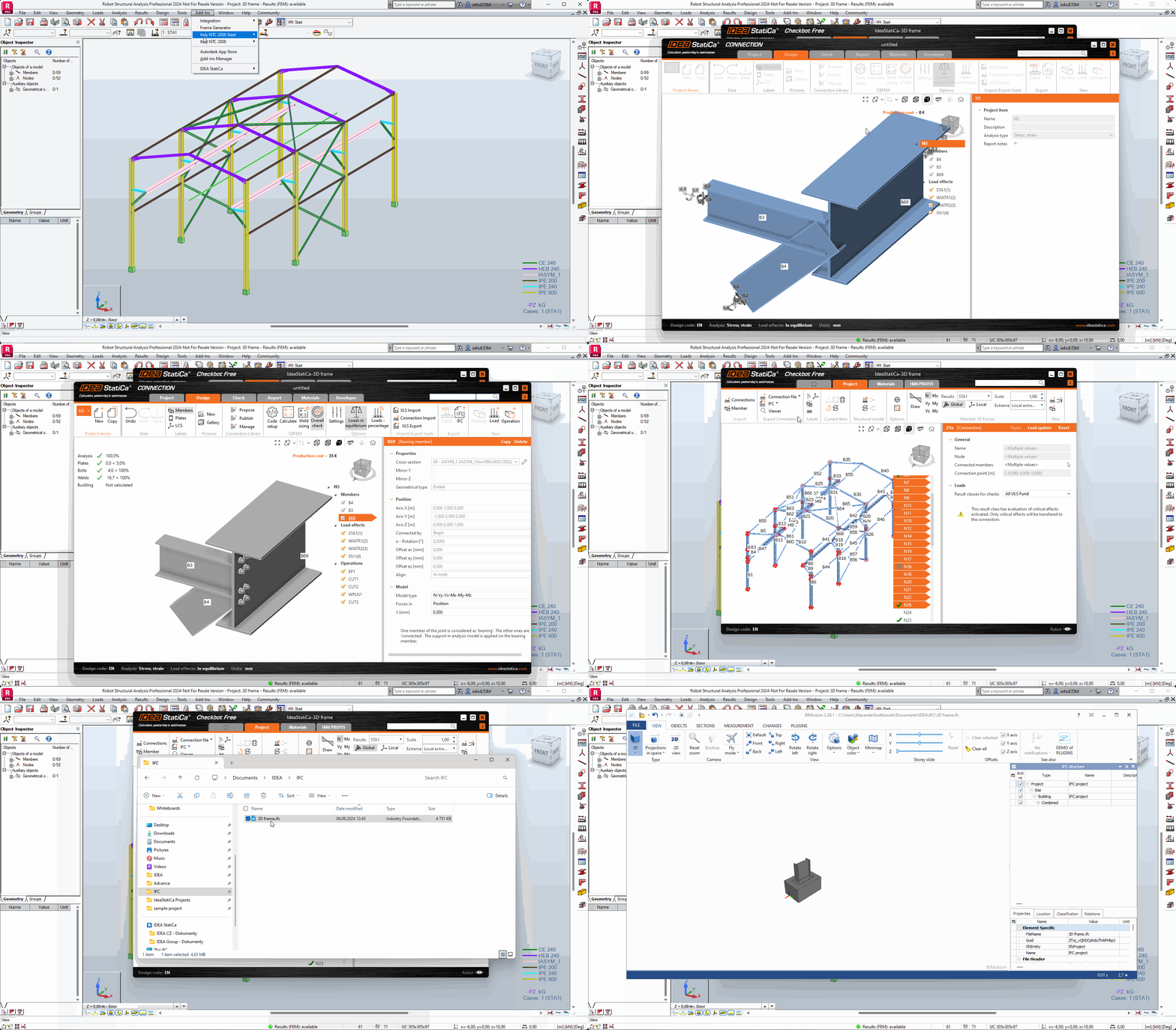
Download a sample project of a Steel cargo hall (or click download below) and try this workflow on your own, or just use any project you have!

The global structure was prepared in Autodesk Robot, the joints designed IDEA StatiCa Connection app, and all managed through IDEA StatiCa Checkbot.

FEA modelCheckbot modelIFC file

GET FREE ACCESS TO CHECKBOT AND VIEWER

Sign up for a free Basic User account