
Idea Statica
Steel
Concrete
BIM & Workflows
Support & Learning
Pricing
Company
14-Day Trial
Change just the language of the report
How to create and export a report to MS Word, PDF or DXF files
Detailed model and loads reporting
Change just the language of the report
Improvements in report readability
Black rectangles in report
Exporting an IFC file from IDEA StatiCa
Language of the report
Connection designMember designSteelKnowledge basev24.0

Change just the language of the report

This article is also available in
ENCSDEESFRITPTNLHURO

Generate the report of your project in a different language while keeping the application in yours. This feature helps you easily deliver the report in the language spoken by your customer.

Sometimes, the project report should be submitted in a language that you do not speak. In some software, that means changing the language of the whole application (and restarting it) just to print the reports.

The possibility of changing the report language under the Report tab makes this tedious process unnecessary.
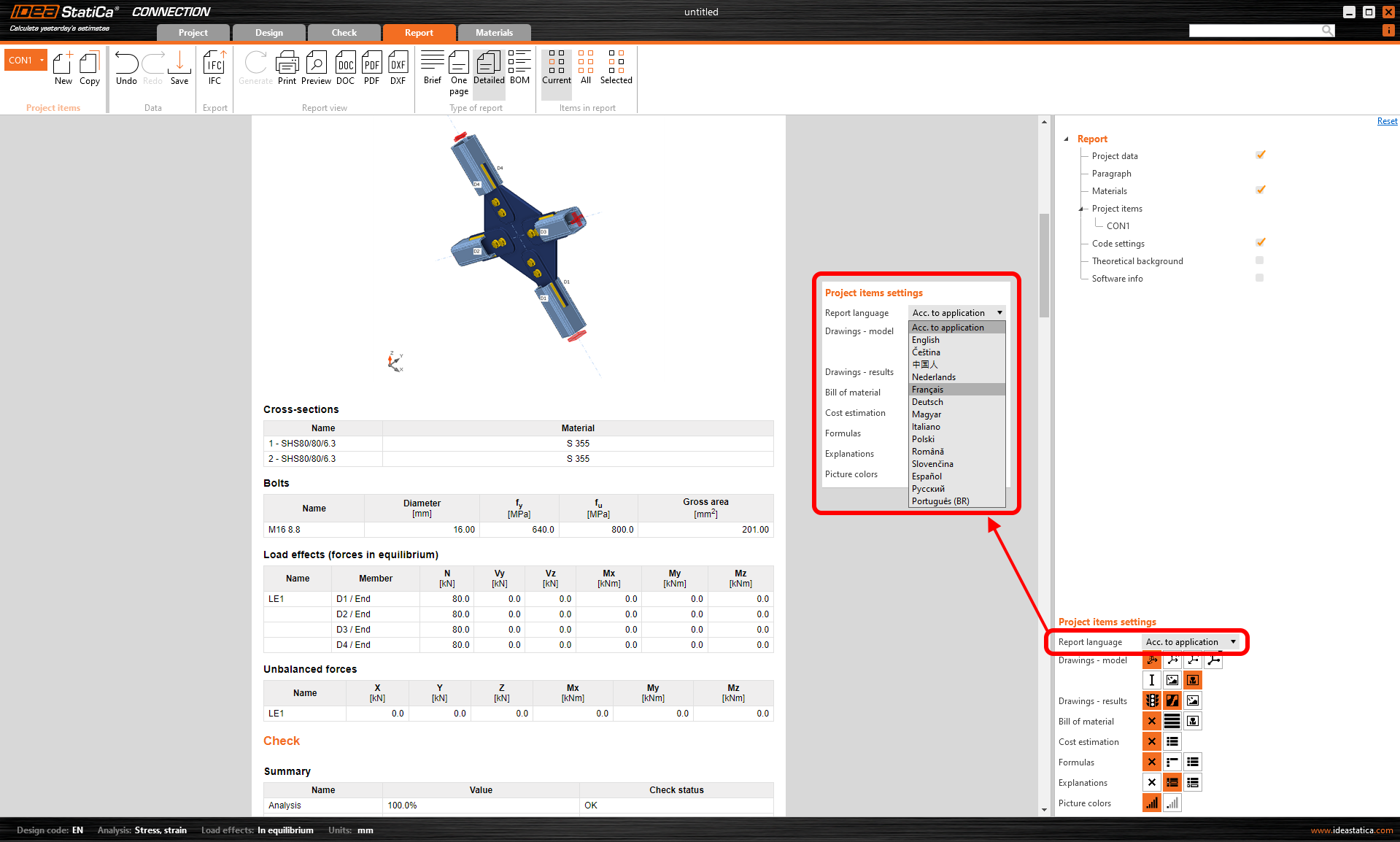
Language of the report

After re-generating the report, the document can be saved/printed in the changed language while the application interface stays unchanged.
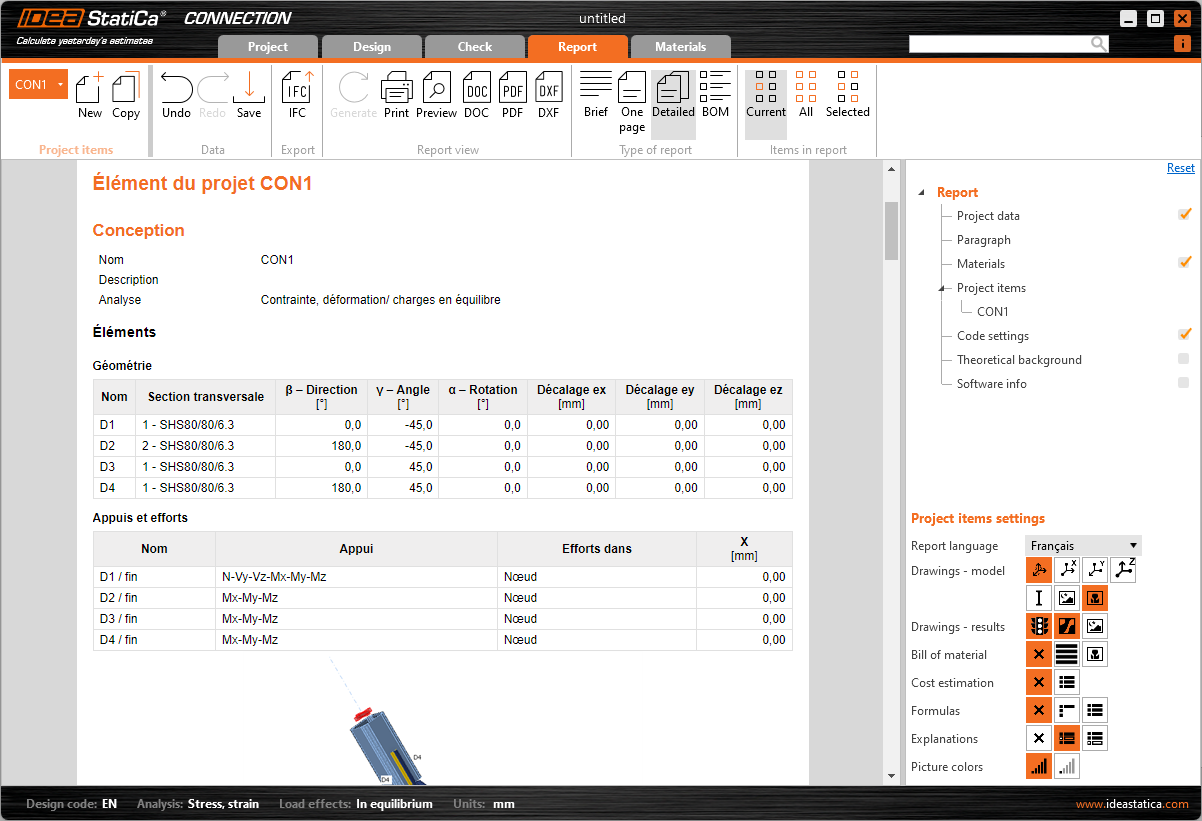
Language of the report

Available in IDEA StatiCa Connection and Member apps.

Released in IDEA StatiCa version 24.0.

Get 14 days of full access, completely free.

Check out IDEA StatiCa for free