


Why this matters for engineers
For years, connection design has often felt repetitive. Even when a similar joint had already been modeled, engineers had to start from scratch or heavily modify an existing one. With version 25.0, IDEA StatiCa eliminates that friction. The combination of a modern UI, rich template library, and customizable Company Sets means engineers can start faster, modify less, and focus more on engineering decisions — not software operations.
It doesn’t stop there, though…
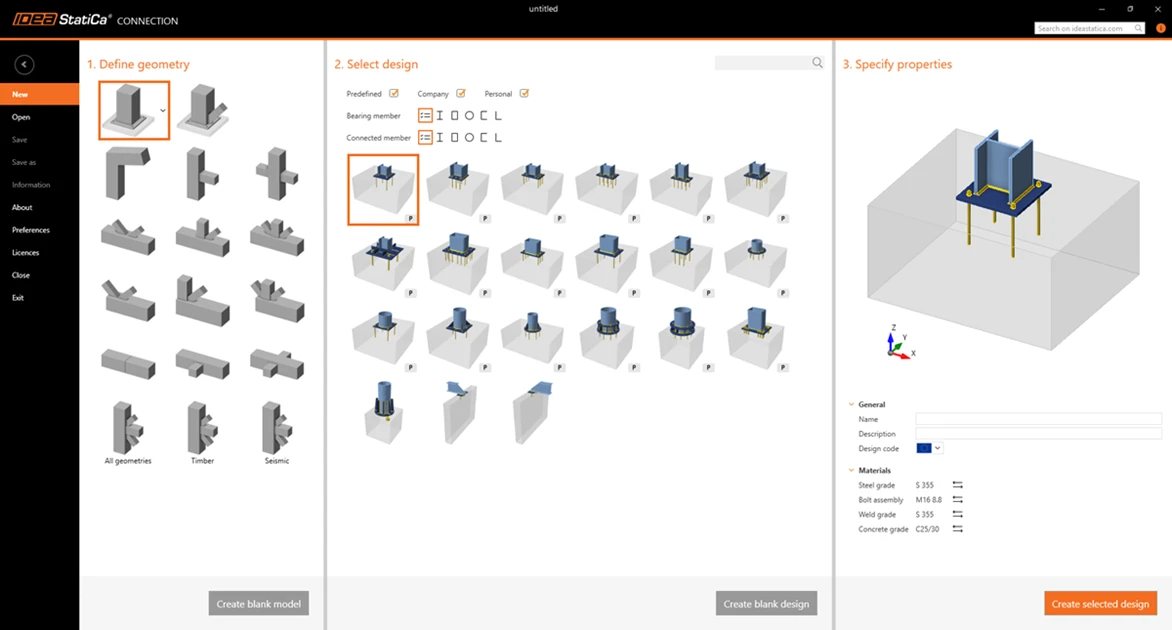
Once you launch Connection in IDEA StatiCa, you will see the all-new Connection Wizard.
This forms a continuation of the UI theme that we have been working on over the last 12 months. We have listened to your requests and used this to implement a consistent and coherent approach to connection design, with the new wizard combining the previous approach, based on geometry, with the engine of the Connection Library under its hood.
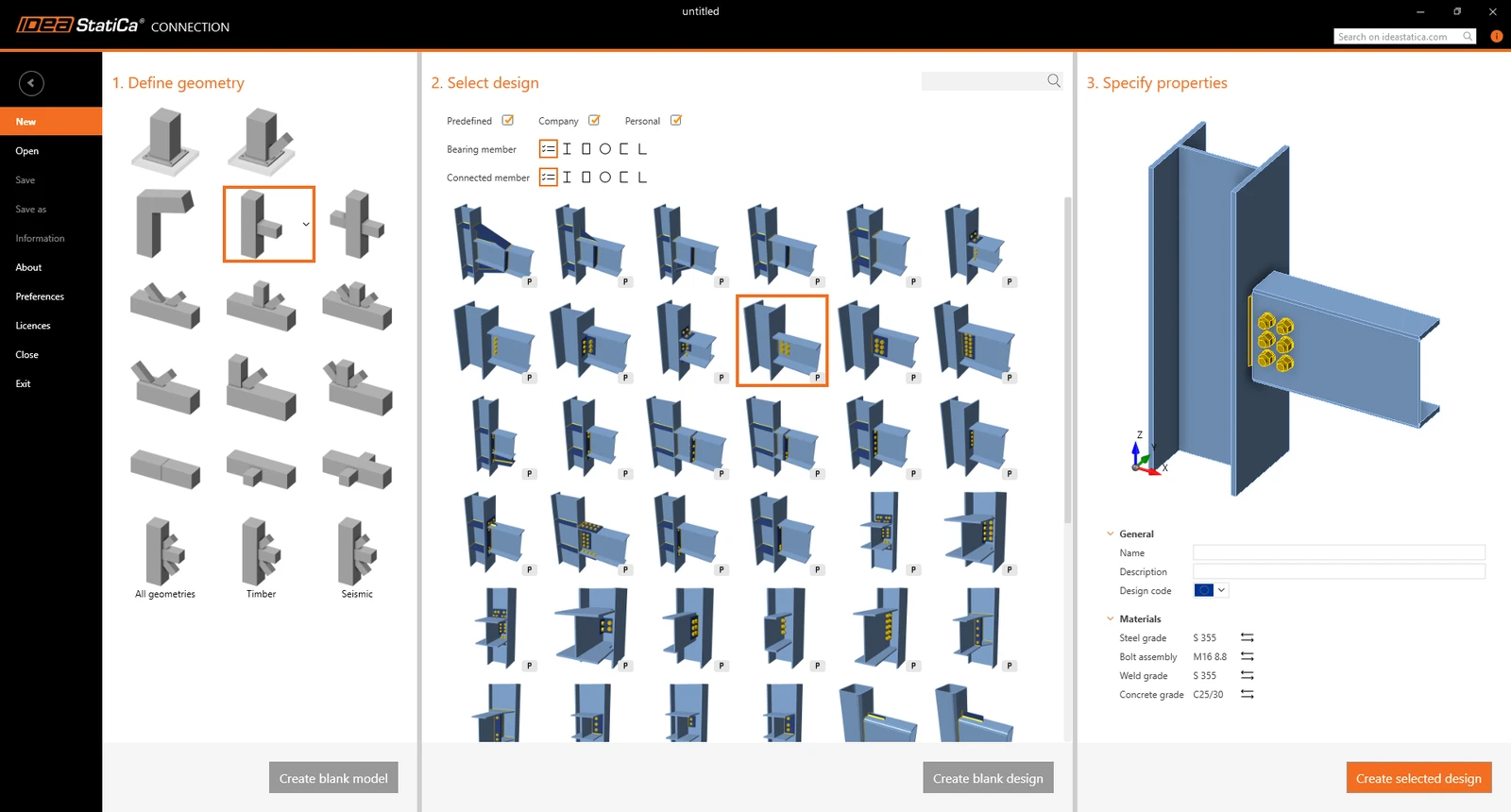
This has given connection designers access to significantly more starting templates than before. Naturally, with greater choice comes greater flexibility, which is also a requirement when narrowing your search down.
Once you have defined the basic geometry, you can start to refine the search for a suitable connection using a simple search keyword, such as ‘fin’. The results are almost instantaneous, meaning less waiting and a better starting point for your initial design.
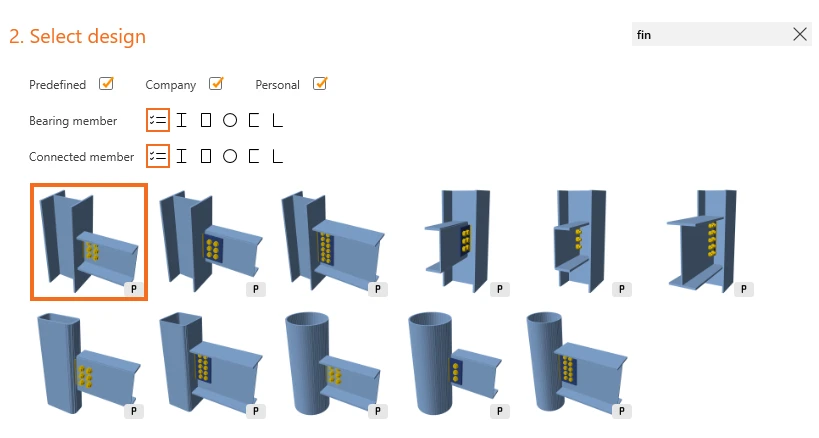
As I already mentioned, underpinning this design selection process is the engine of the Connection Library. This further allows organizations to limit the design templates available to their staff, thus making company standards much easier to implement and maintain.
How Company Sets ensure compliance and consistency
Thanks to Company Sets, organizations can predefine which templates are visible to their designers, restrict editable parameters, and enforce internal standards at scale. That means:
- Only approved connection types can be used
- Bolt grades, spacings, and materials align with internal specs
- Less variation across teams and offices
- Built-in quality control, without the need for additional oversight
For multi-officed firms or teams working in regulated environments, this is a game-changer in reducing errors and simplifying QA.
The enhancements keep on coming, and it is now even simpler to see which templates have parametric content.
Parameters make it easier to control certain aspects of a connection, such as :
- Bolt grade
- Steel material
- Plate thicknesses
However, they can also combine functions to drive relationships within connections. For more information on parametric design, why not look at our Campus course – Basics in IDEA Parametric Design.
Parameters can simplify the overall design process by giving both organizations and designers more control over what can be designed and how.
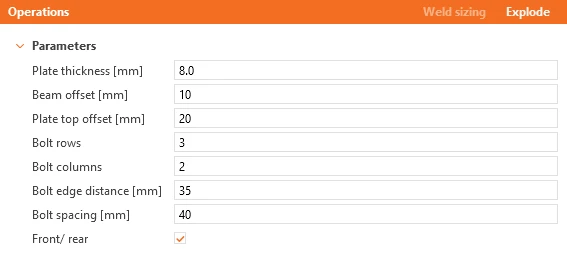
This include thicknesses that only need to be set once instead of multiple times, bolt spacings derived form number of bolts... the possibilities are only limited by your imagination.
How parametric templates unlock real-world speed
This isn’t just about flexibility, it’s about eliminating redundancy. Setting thicknesses once and having them apply across multiple components? Automatically adjusting welds or bolt rows based on parametric rules? That’s not just clever modeling, it’s time you’re not wasting on repetitive manual edits. And because parameters are embedded into reusable templates, your engineering intent carries over from project to project.
With IDEA StatiCa 25.0, we’re not just improving the UI, we’re changing your experience of connection design altogether:
- Start faster with over 200 validated templates
- Stay compliant using Company Sets that lock in your standards
- Customize less thanks to embedded parametric control
- Design safely – all templates are fully code-compliant
The result? You and your team spend more time engineering, less time remodeling.
Why not try the all-new IDEA StatiCa Version 25.0 today?
Get 14 days of full access, completely free.
Check out IDEA StatiCa for free