


When modeling a simply supported beam in IDEA StatiCa Member, you can use this option for defining the roller (sliding hinge). This option keeps the "close-to-zero" bending moment at the ends of the beam supported by a concrete block.
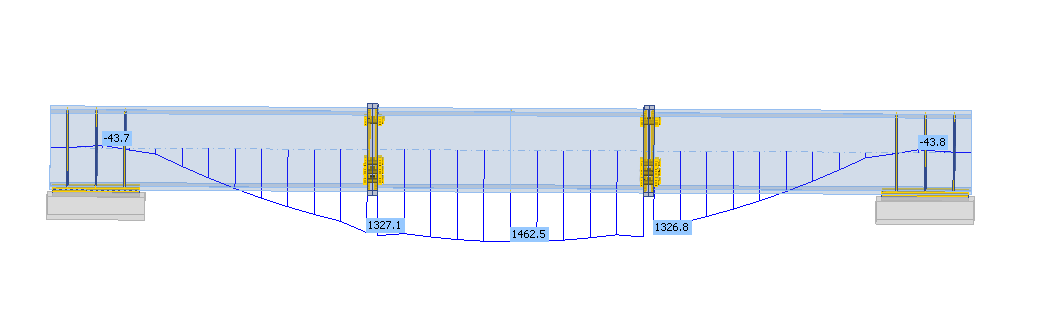
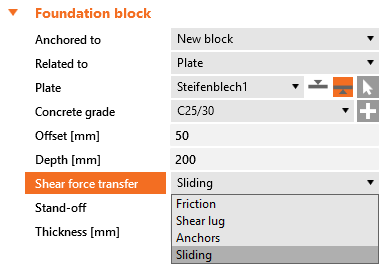
From Member, open the connection at one end of the beam. Define the anchoring/foundation concrete block and switch the Shear force transfer option to Sliding. Also, remove all the anchors in the Editor.
Please note that the other side of the beam must stay active to transfer forces in both directions so that the static system remains determined.
The Sliding option is specifically designed to be used in IDEA StatiCa Member. Although this setting also works in Connection, where it can be used in combination with another base plate.
This feature was released in the IDEA StatiCa 23.1.1 patch.
Get 14 days of full access, completely free.
Check out IDEA StatiCa for free