


We distinguish two types (groups) of units:
- Units for presentation purposes
- Units for the applying of new entities into the model
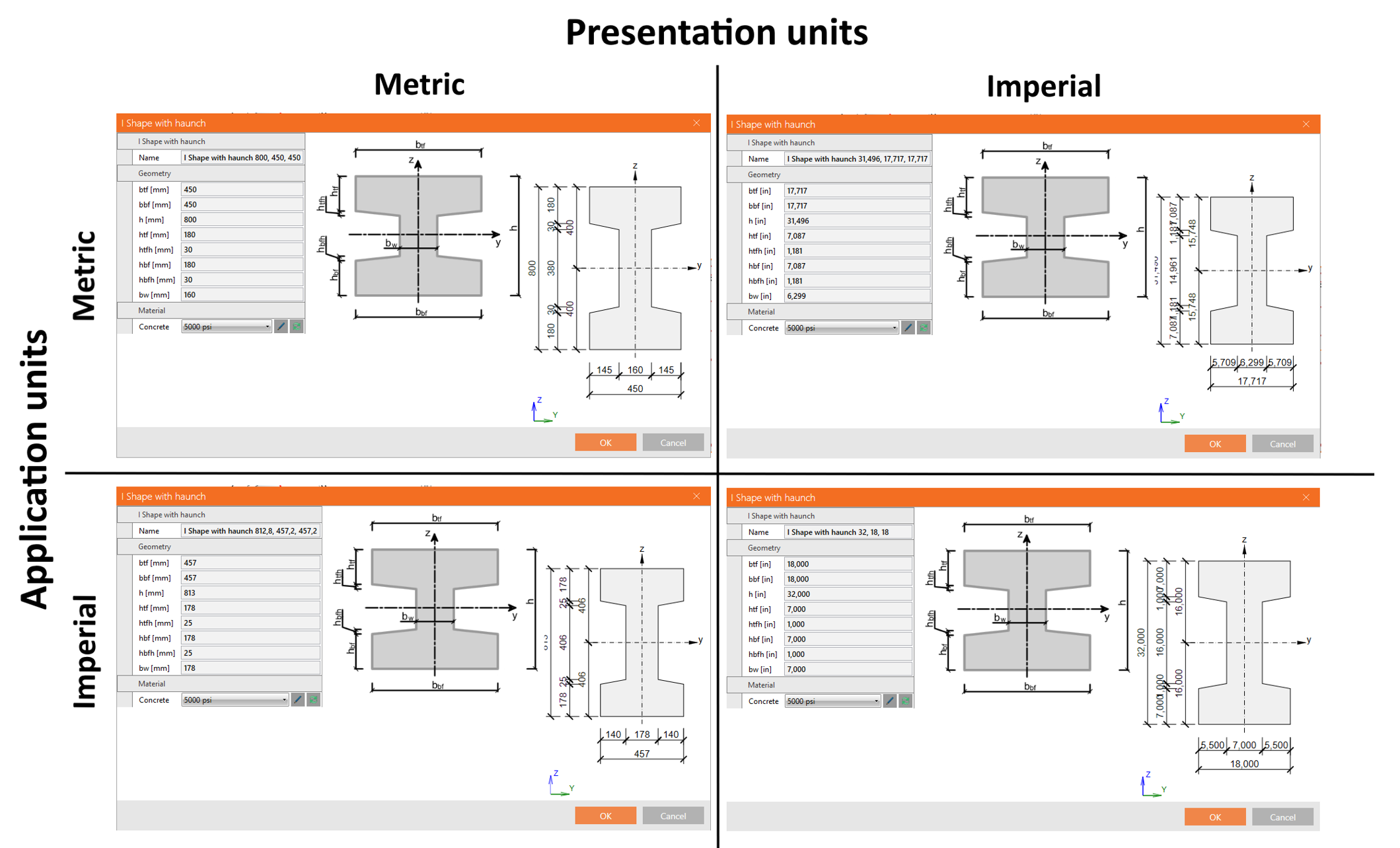
These groups are independent and can be arbitrarily combined (for example, metric units for presentation but imperial units for application of the new entities).
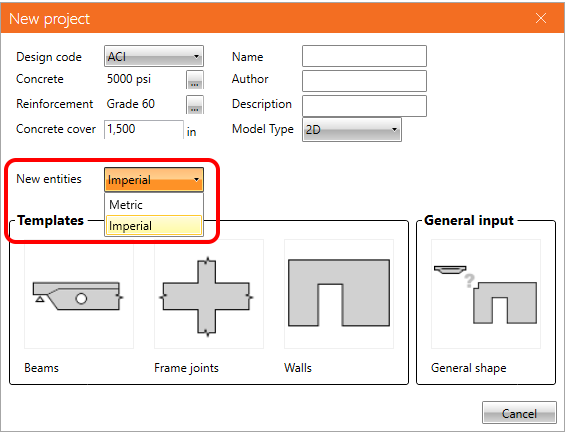
For this purpose, the new feature that defined the type of preferred dimension for new entities was implemented. When defining a new project, the user can set if the dimension of all entities (geometry, load, reinforcement) input into the model will be rounded for metric or imperial units.
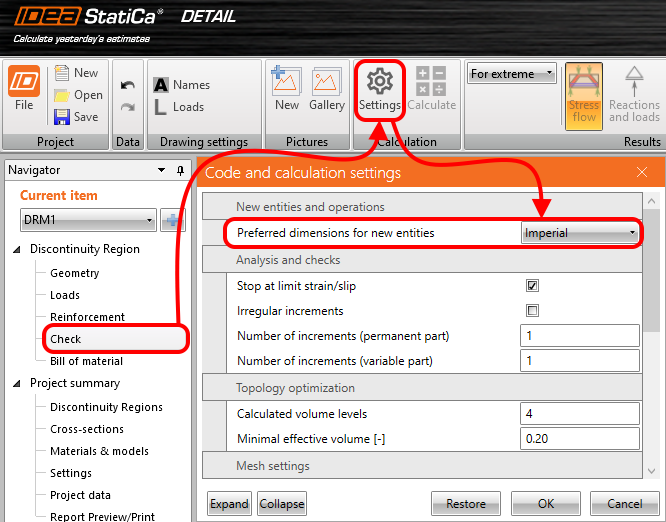
When you decide to change the setting of application units in an existing project, it can be done in Settings.
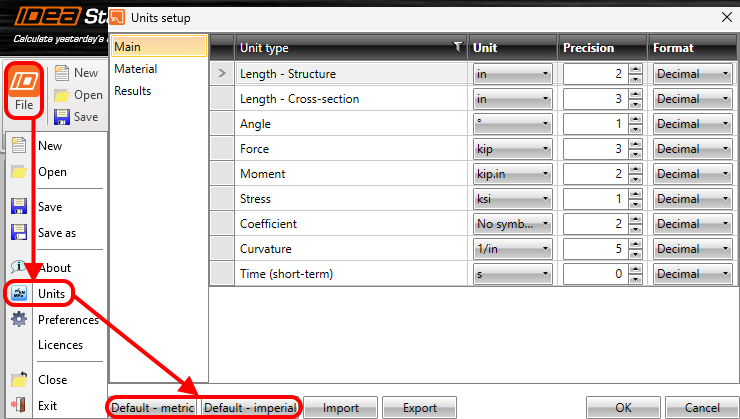
Let's also recall where you can set the presentation units. Go to File -> Units and make changes.
For example, an I-shaped cross-section is presented with a different combination of application and presentation units.
Available in Enhanced editions of IDEA StatiCa Concrete and Prestressing.