
Idea Statica
Steel
Concrete
BIM & Workflows
Support & Learning
Pricing
Company
14-Day Trial
Checkbot 3D scene improvements
IDEA StatiCa Checkbot brings new improvements in the 3D scene. Multiselect of connection cubes in the scene, right-click the context menu for connections or Esc to cancel selection and make the structural design of steel connections faster!
SteelConnection designMember designKnowledge baseCheckbot

Checkbot 3D scene improvements

This article is also available in
ENCSDEESFRITPTNLHURO

The Checkbot app is one of the crucial tools for seamless workflows with 3rd party applications. It's 3D graphic scene is the best place for quick check whether all the structural members came correctly. Let's take a look on improvements in version 22.1.

For more intuitive work, version 22.1 brings new possibilities of how to select the structural components. The virtual cubes representing the particular connections are now active in 3D scene and multiselection is enabled for both, component list as well for the 3D scene.

Enhancements in 22.1:

  • Multiselect of connection cubes in the scene
  • Right-click the context menu for connections in the 3D scene
  • Esc to cancel selection

Available in both Expert and Enhanced editions of IDEA StatiCa Steel.
Download IDEA StatiCa 22.1

RELATED CONTENT

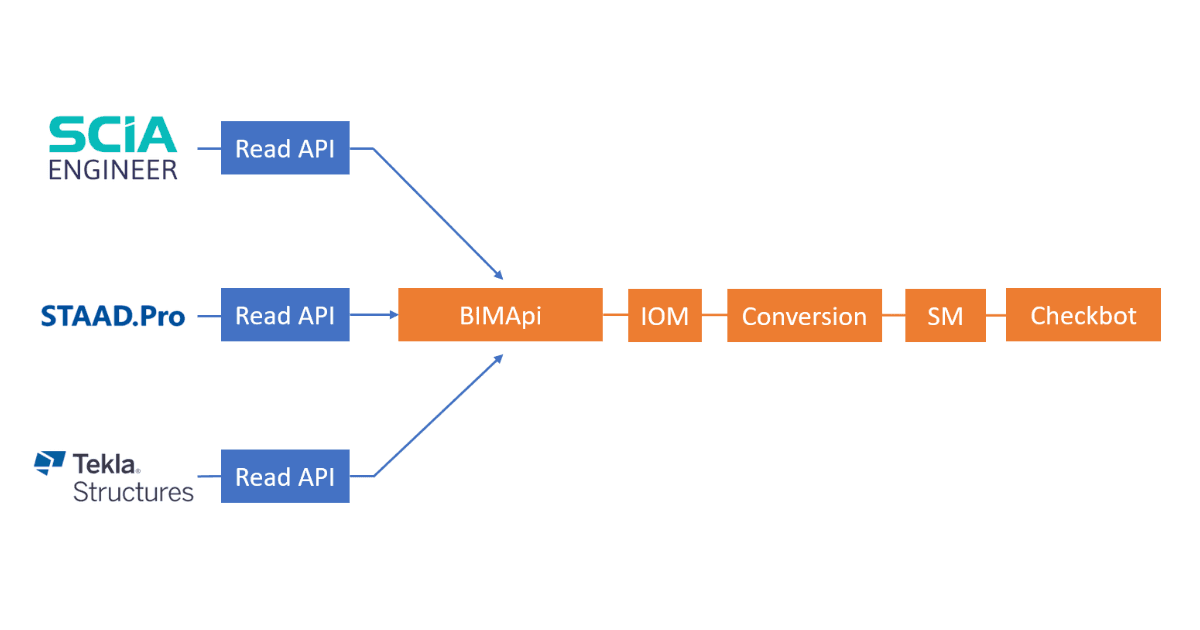
IDEA StatiCa 22.1 brings a tool called BimApi. That's the only part of the BIM communication process that vendor developers have to understand and adjust their part of the code to now. Take advance of IDEA StatiCa BIM links integration!
  • Steel
  • Concrete
  • Knowledge base

New BimApi workflow

Read more
  • Concrete
  • Steel
  • Licensing
  • Release notes

Release notes IDEA StatiCa 22.1

Read more
Explore all