


How to activate the link
- Download and install (as administrator) the latest version of IDEA StatiCa
- Make sure that you are using the supported version of SAP2000
IDEA StatiCa automatically integrates the BIM link into your CAD/CAE software during the installation. You can check the status and activate more BIM links for later installed software in the BIM link installer.
Open IDEA StatiCa and navigate to the panel BIM and open the BIM link installer. A notification "Run as administrator" may appear, please confirm with the Yes button.

Select the software to integrate the IDEA StatiCa BIM link, click the Install button and check the installed status.
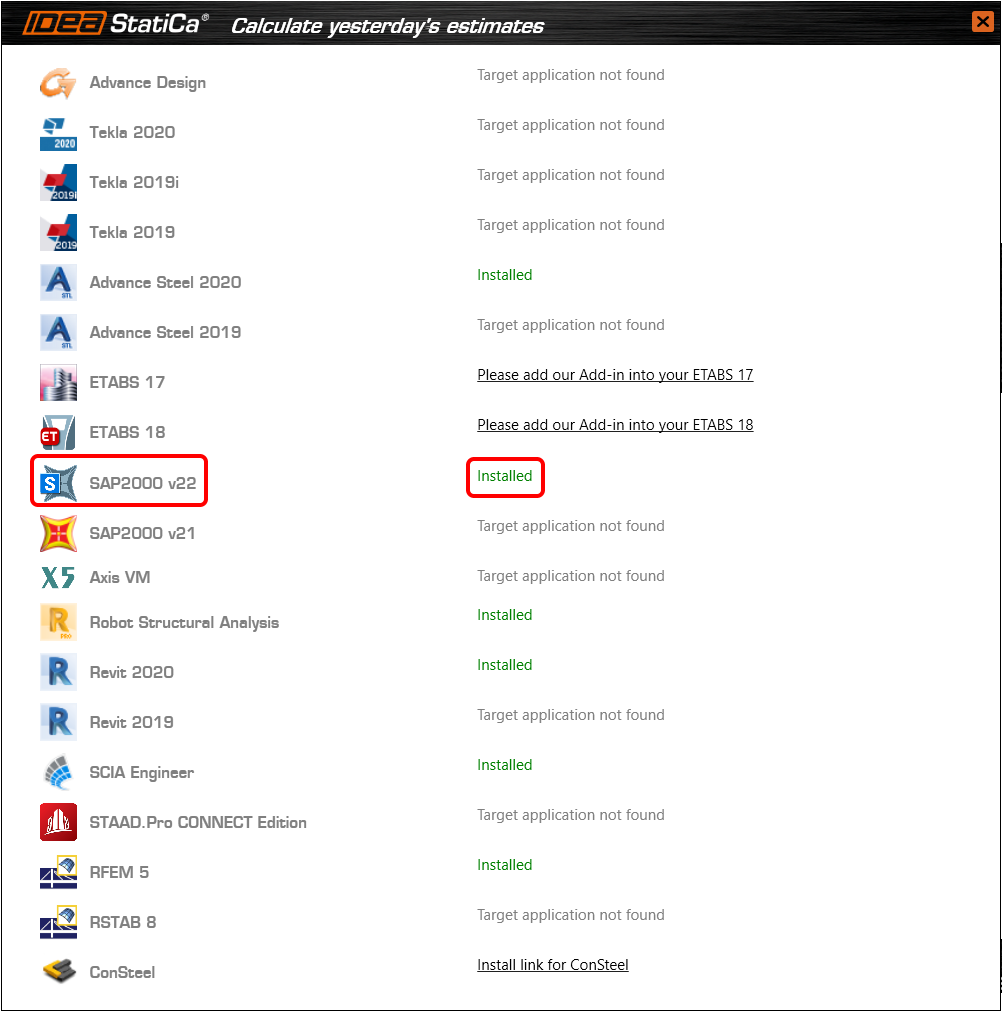
Start SAP2000. Open Tools and in Add/Show Plugins, add the IDEA StatiCa plugin as follows:
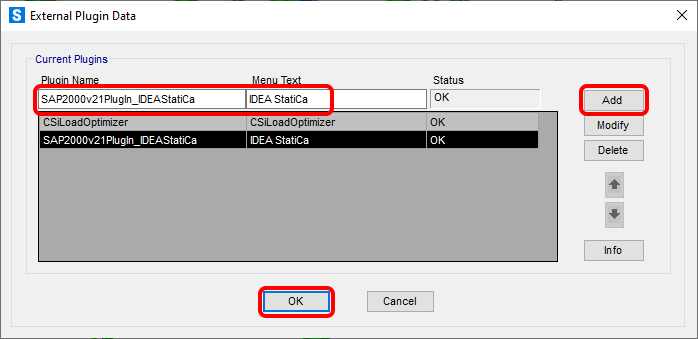
Plugin name: (for steel structures)
SAP2000v21PlugIn_IDEAStatiCa (in Version 21)
SAP2000v20PlugIn_IDEA_Connection (in Version 20)
(for concrete structures)
SAP2000v21PlugIn_IDEA_Beam (in Version 21)
SAP2000v20PlugIn_IDEA_Beam (in Version 20)
Menu text: IDEA StatiCa (command name displayed in the menu)
Confirm by Add and OK.