BIM links minimize errors and repetitive work so you can focus on more crucial tasks - proper analysis, design and code-check of connections, cross-sections, members and details.
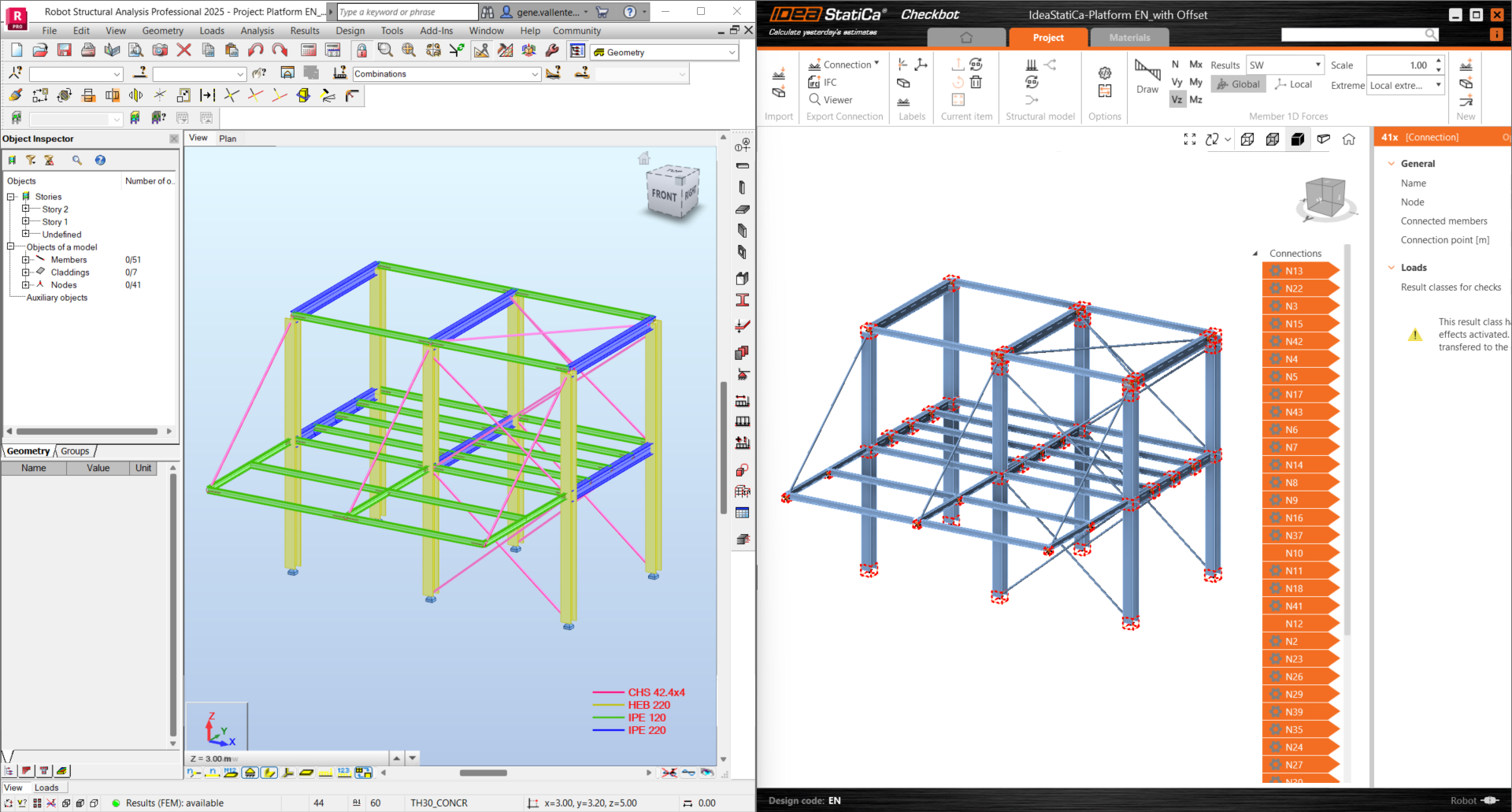
With IDEA StatiCa Checkbot, you can automatically import the model from your FEA or CAD and synchronize design data. IDEA StatiCa Checkbot lets you visualize imported loads and members in 3D, manage load combinations, and see all connection and member properties and statuses (checked/not-checked). This helps eliminate error-prone and manually repetitive work by extending your current workflows.
Unsure how to integrate it with your program? Wondering what you can select in your CAD program and how to conduct the analysis and code-checks in IDEA StatiCa Connection afterwards? Eager to share BIM data without having to install IDEA StatiCa? Not to worry, we'll guide you through all of that.
Master your connections webinar series
Master your connections is a series of five short webinars for (not only) beginners to get quickly familiar with the IDEA StatiCa Connection application.
From the very first steps to using the BIM links, learn how to use the software to be more efficient, and ensure the safe design of your steel connections.
There will be five webinars with relevant content:


