


#1 Avertissement de singularité sur un assemblage simple
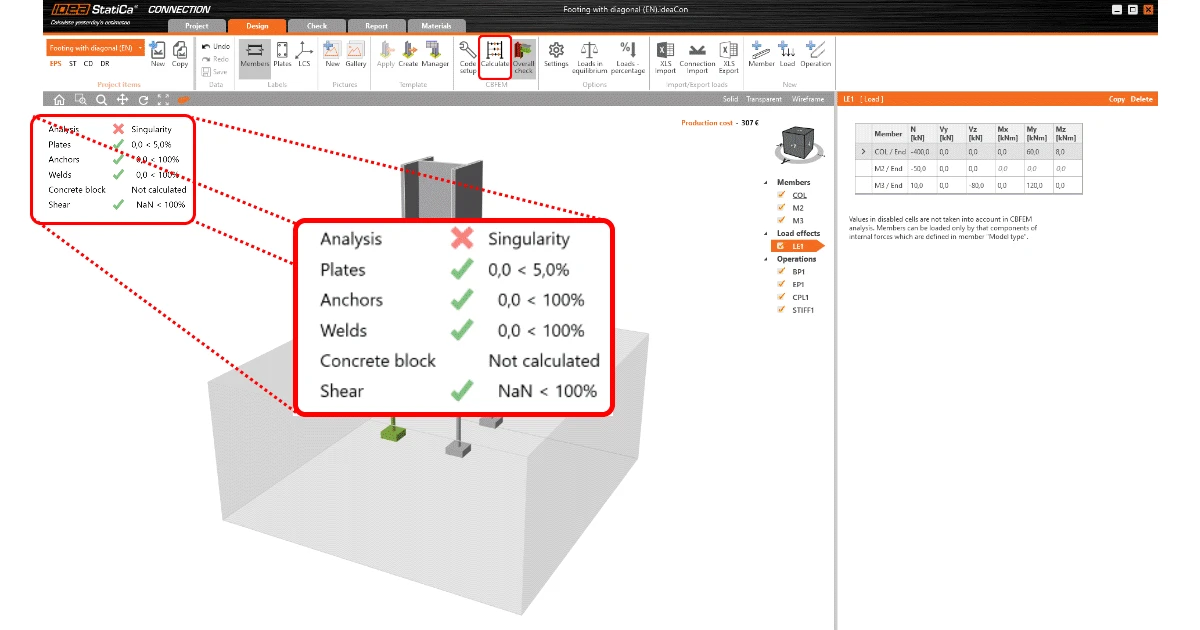
Cas : J'ai conçu un assemblage simple. Après le calcul, j'ai obtenu un avertissement de singularité. Qu'est-ce que cela signifie ?
L'avertissement de singularité est sans aucun doute la question la plus signalée et la plus notée sur notre Centre de support. Il s'agit d'un avertissement d'arrêt d'analyse dû à une non-conformité mathématique. Ce problème est principalement causé par des éléments non correctement connectés aux éléments porteurs.
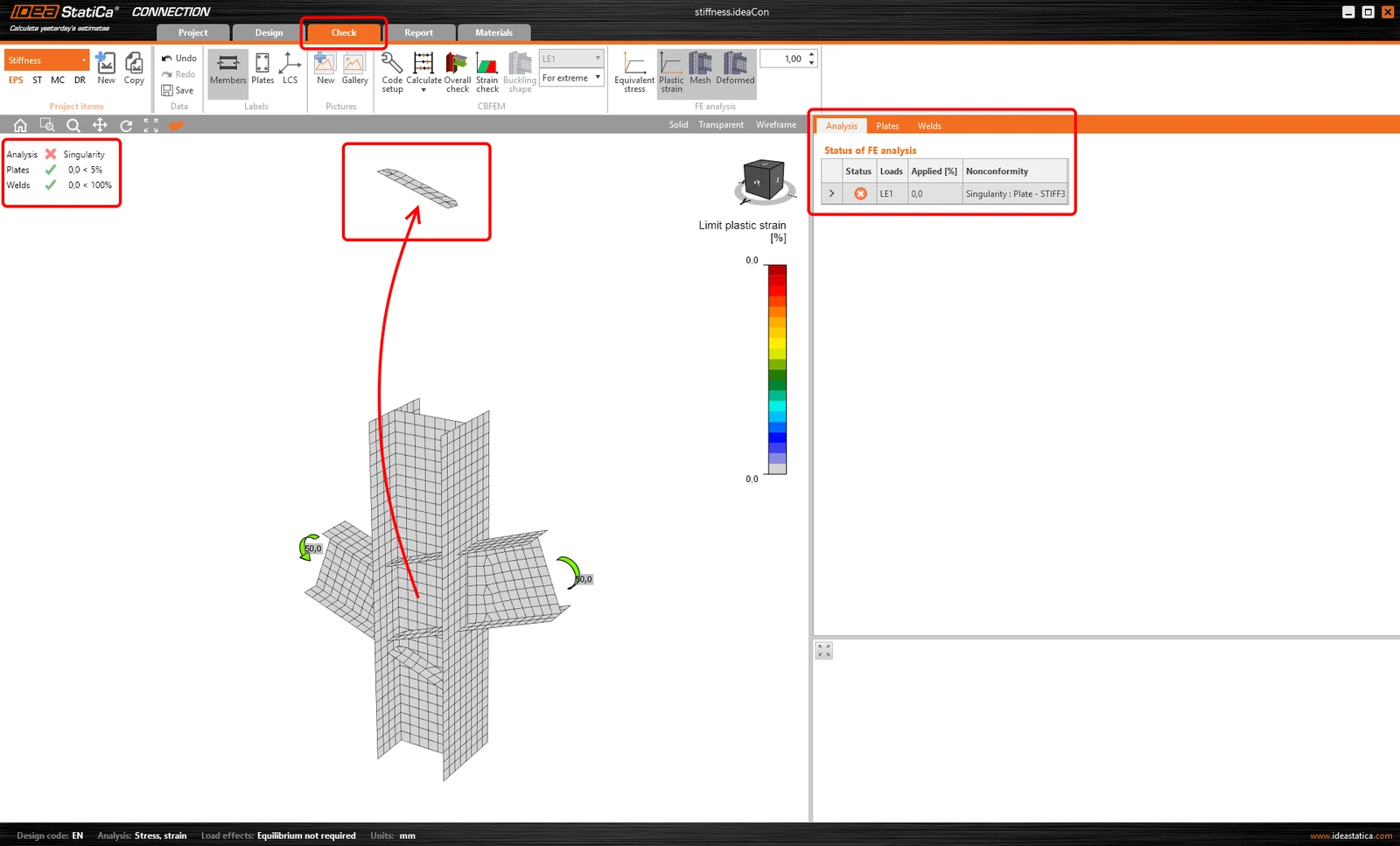
En fait, cet avertissement vous fait gagner du temps car, en cas de configuration incorrecte du modèle, l'analyse peut prendre beaucoup de temps sans vous donner de résultat fiable.
Une fois que vous comprenez l'avertissement, il est assez facile de découvrir le problème et de le corriger. Dans l'article "Qu'est-ce que l'avertissement de singularité", vous trouverez quelques bons conseils et recommandations pour y remédier.
Par ailleurs, nous avons récemment ajouté une nouvelle fonctionnalité Vérification des soudures manquantes qui peut vous aider considérablement avant même de lancer la première analyse.
#2 Avertissement de singularité sur un assemblage à un boulon
Cas : J'ai un assemblage avec un seul boulon, mais le logiciel donne un avertissement de singularité. Quelle en est la raison ?
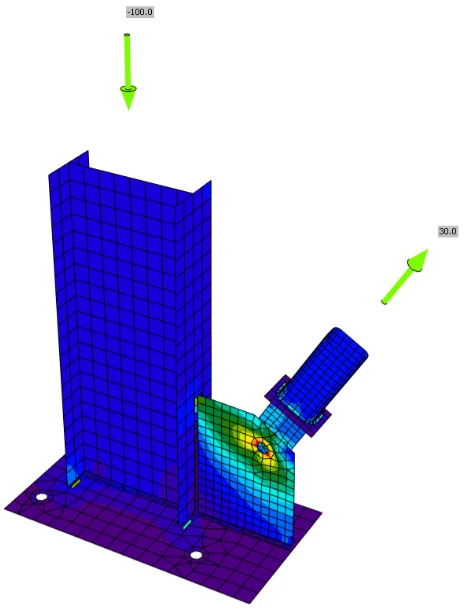
Parfois, l'ingénieur doit réaliser un assemblage avec un seul boulon, notamment lorsqu'une rotule est attendue. Relier deux éléments avec un seul boulon est tout à fait possible avec IDEA StatiCa, bien entendu. Mais l'application d'un moment à l'assemblage le transforme d'un assemblage ordinaire en un mécanisme. Pour cette raison, nous avons implémenté une fonctionnalité appelée « Type de modèle » afin de n'autoriser que certains types d'efforts.
Si vous souhaitez en savoir un peu plus sur ce type de problème, le meilleur moyen est de consulter notre article : "Comment modéliser un assemblage à un boulon"
#3 Avertissement de singularité sur les sections creuses circulaires
Cas : Je dois connecter un tube à une plaque par soudure, mais j'obtiens un avertissement de singularité. Que dois-je faire ?
Une autre situation pouvant générer un avertissement de singularité est causée par la division non adaptée de la surface circulaire en surfaces angulaires discrètes. Cela se produit très souvent lors du soudage du tube sur toute sa longueur.
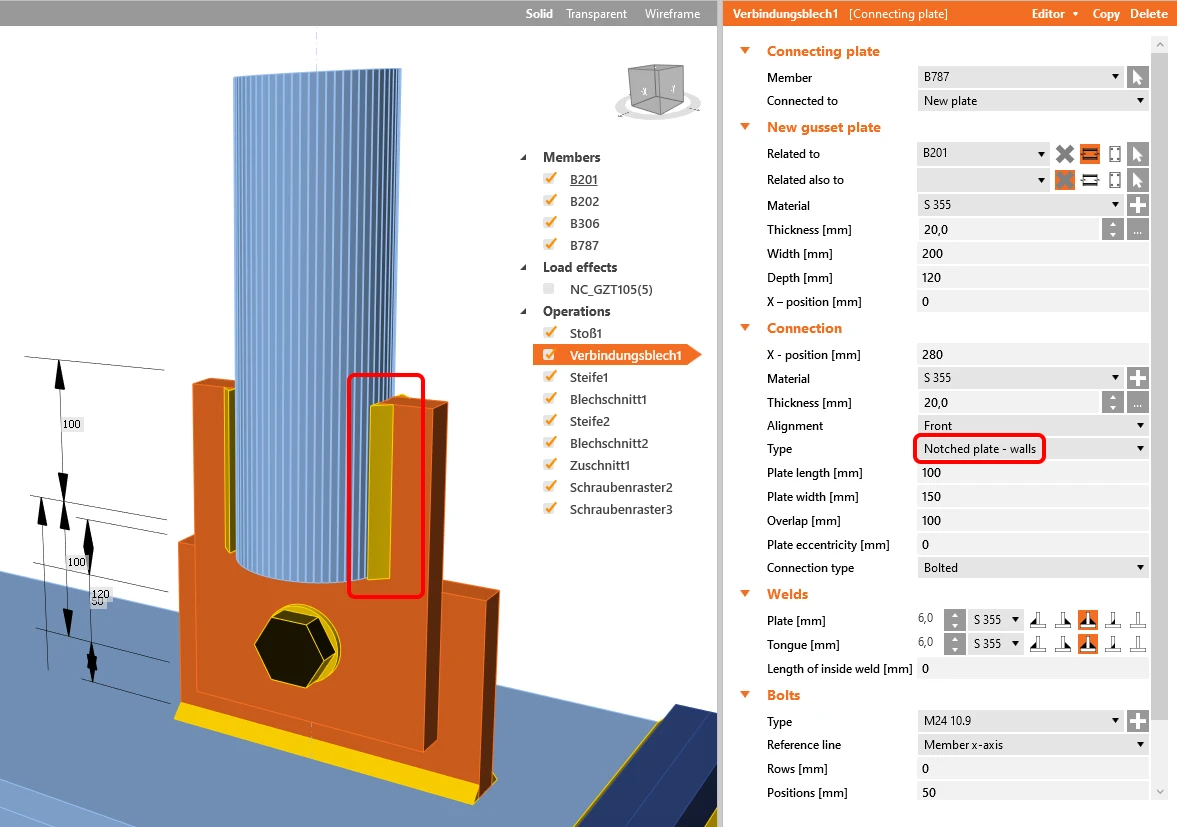
La résolution de cette erreur est assez simple et nécessite seulement un petit ajustement de la configuration normative. Il suffit de modifier la valeur par défaut 64 de la Division de la surface du plus grand élément creux circulaire.
#4 Les boulons sont trop proches du bord de la plaque
Cas : J'ai conçu un assemblage simple plaque à plaque mais j'ai obtenu un avertissement « Les boulons sont trop proches du bord de la plaque ». Quelle est la meilleure façon de résoudre ce conflit ?
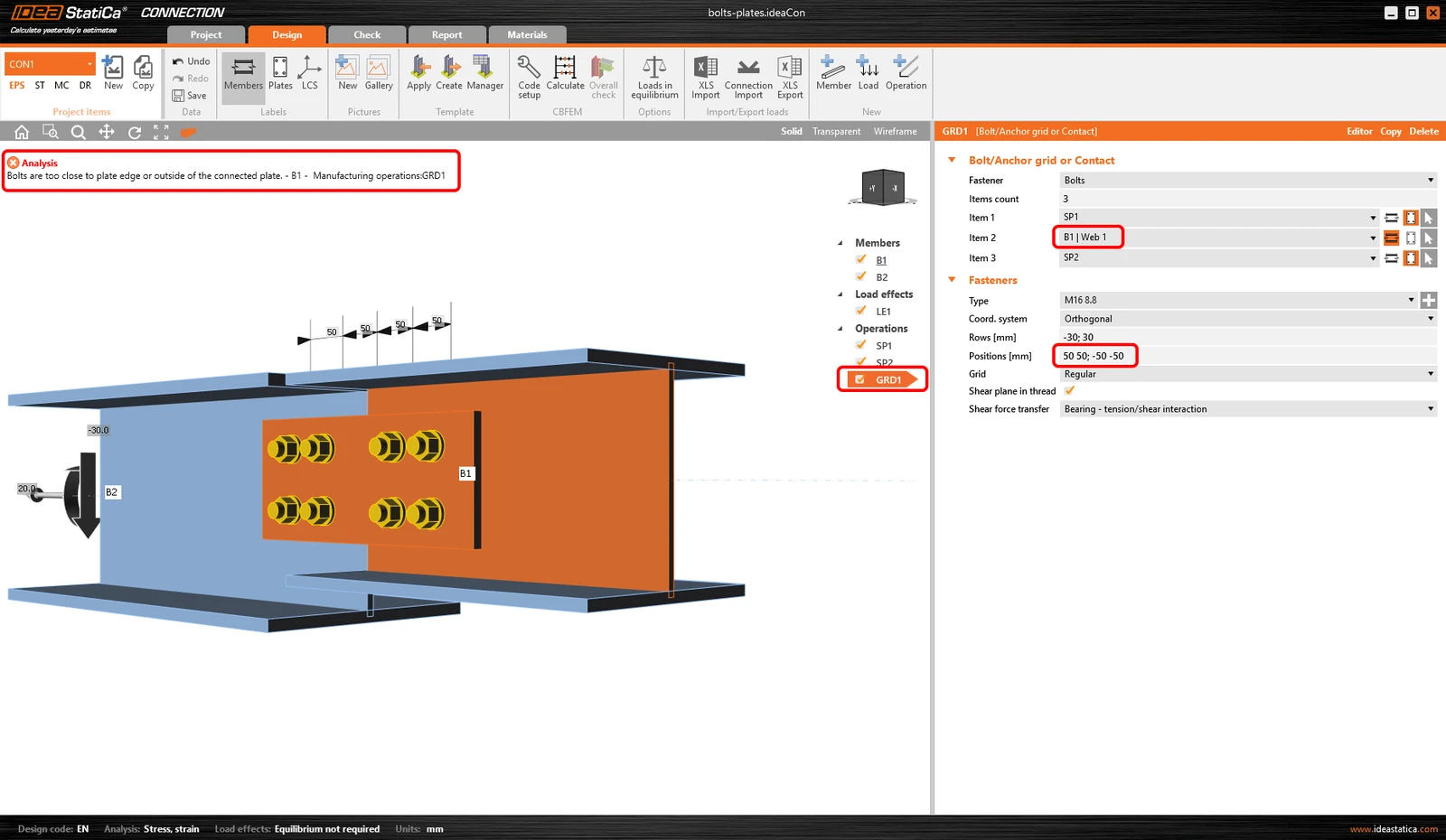
La réception de ce message d'erreur peut avoir deux raisons, en principe. Soit que le maillage ne peut pas être généré autour du trou de boulon car l'espace est insuffisant. Soit que les boulons ne sont pas associés à la bonne plaque.
Les deux cas sont décrits dans l'article de notre Centre de support "Les boulons sont trop proches du bord de la plaque"
#5 Avertissement de singularité sur l'assemblage entre plaques
Cas : J'ai un assemblage boulonné entre deux plaques. Lors du calcul de l'assemblage, j'obtiens une erreur de singularité. Qu'est-ce qui ne va pas ?
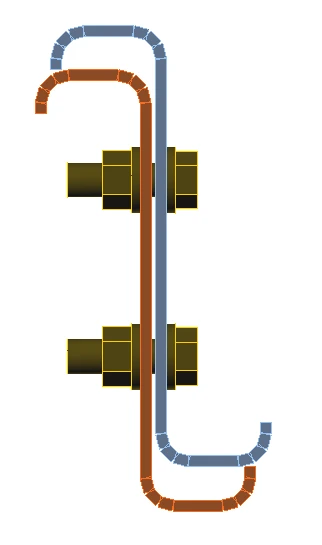
Lors de la modélisation d'un contact ou d'un assemblage entre plaques, vous devez respecter la distance minimale. L'opération Grille de boulons ou Contact est capable de relier plusieurs éléments ensemble, même s'ils ne sont pas exactement superposés. La distance minimale est de 2 mm et si l'écart entre les plaques est supérieur à 2 mm, l'analyse ne peut pas être effectuée.
Les détails concernant cette erreur de conception se trouvent dans cet article : Distance entre plaques lors de l'utilisation de Boulon ou Contact
#6 Les ancrages n'ont pas été calculés
Cas : J'ai un assemblage d'ancrage avec plusieurs ancrages, mais lors de l'analyse, j'obtiens le message « Ancrages non calculés ». Pourquoi ?
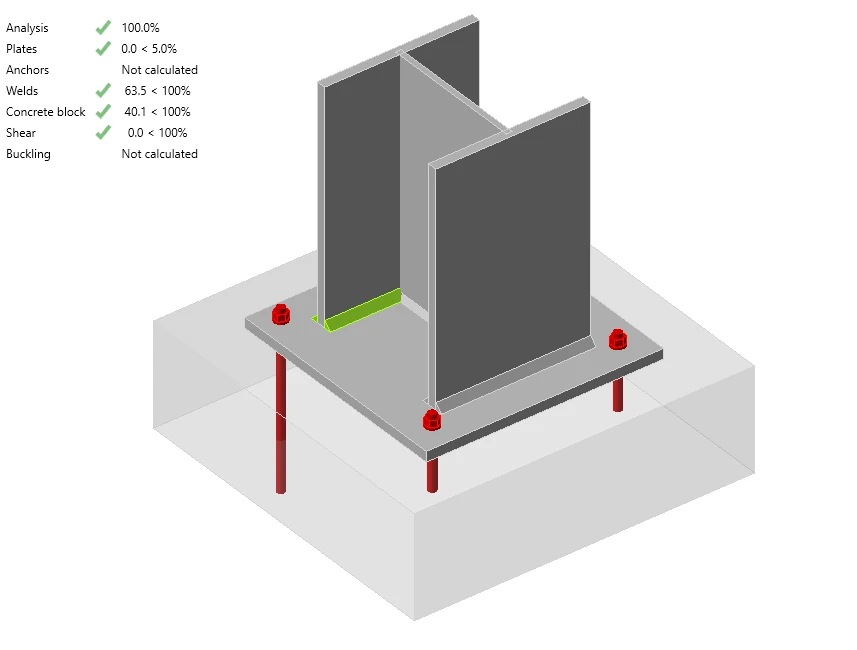
Conformément à l'EN 1992-4 - Art. 1.2 (4), les ancrages doivent être du même type. Dans le cas contraire, les vérifications normatives ne peuvent pas être appliquées à cet ancrage. Les ancrages doivent donc être du même type, du même diamètre et avoir la même profondeur de scellement.
#7 Limite de déformation locale
Cas : J'ai analysé un assemblage de section creuse. L'analyse était correcte, mais les soudures et/ou les plaques dépassent 5 % / 100 %. Que s'est-il passé ?
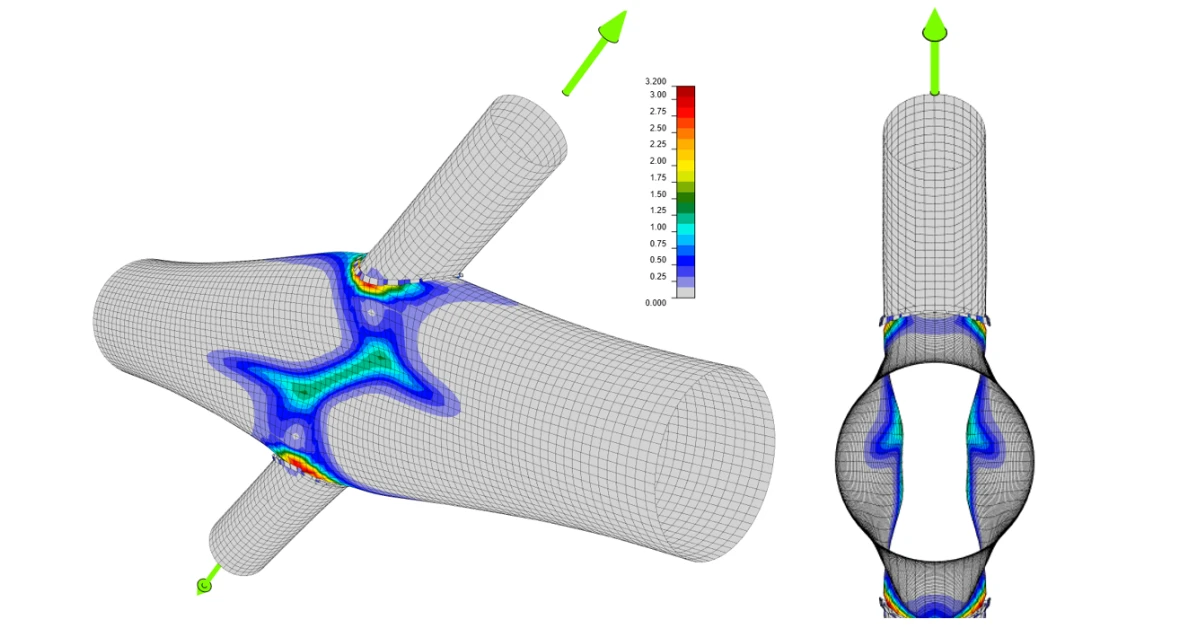
Dans le cas d'une section transversale creuse, une vérification de la déformation locale est mise en œuvre. Mais cette vérification n'est pas incluse dans la vérification globale. Vous devez donc accéder à l'onglet Vérification et consulter les informations détaillées sur les plaques et les soudures sur le côté droit. Une limite de 3 % est fixée conformément au code CIDECT.
Vous pouvez trouver plus d'informations sur ce sujet dans cet article : Vérification de la déformation locale pour les éléments creux ; plus d'explications dans notre Contexte théorique - Assemblages d'éléments à section transversale creuse.
Résumé
Nous avons passé en revue les sept problèmes pour lesquels nos utilisateurs demandent le plus souvent de l'aide. Comme vous pouvez le constater, toutes ces erreurs sont clairement visibles et visualisées dans IDEA StatiCa et sont faciles à corriger. N'hésitez pas à mettre IDEA StatiCa à l'épreuve, et si vous rencontrez une erreur ou un échec que vous n'êtes pas en mesure de résoudre, il existe toujours un moyen de vous aider. Consultez notre riche Centre de support ou contactez notre équipe de support en soumettant un cas de support.