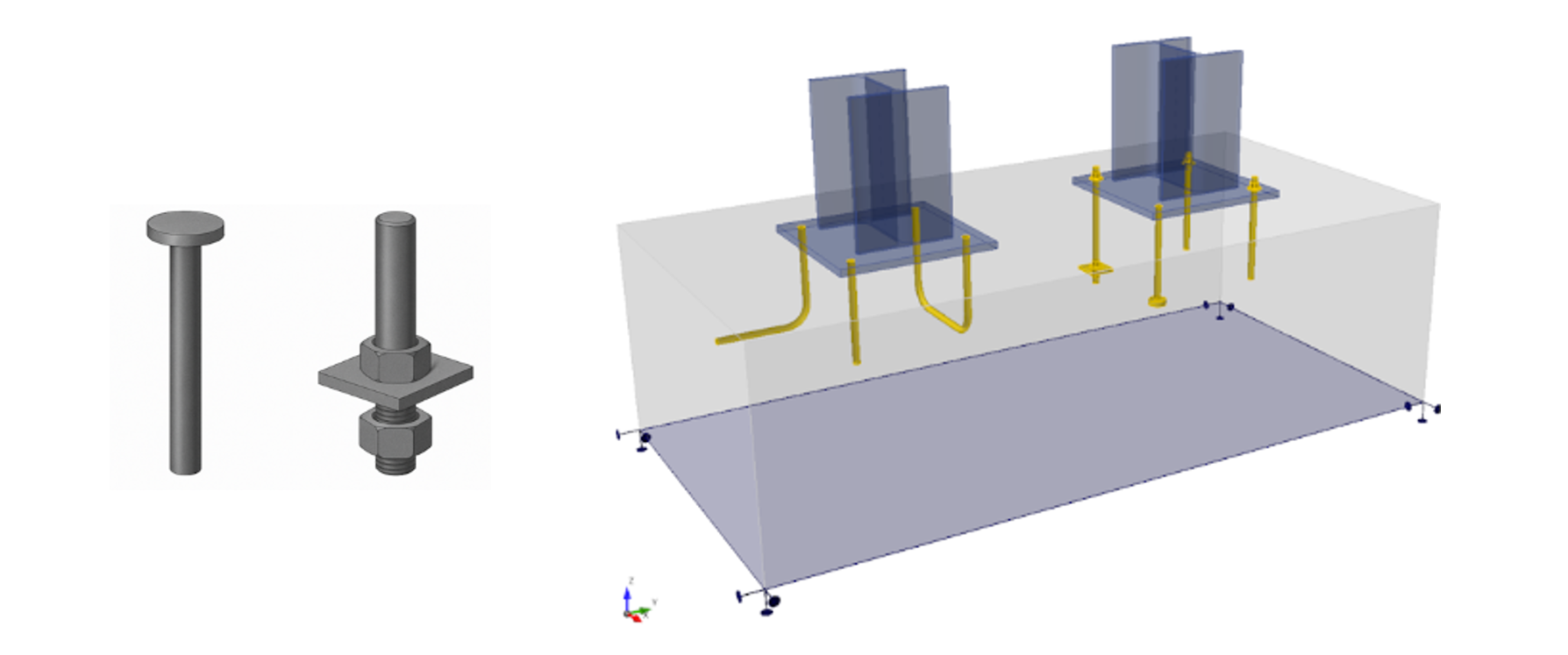
In version 25.1, an expanded portfolio of anchors was introduced in both the Connection and Detail applications, increasing the options for defining and verifying different anchorage types. The upcoming webinar will provide a detailed explanation of each approach.
Description of individual anchor types and their code checks
Assessment of anchorage in the Connection and Detail applications
Practical showcase of the washer plate anchor
Current limitations for export from Connection app
With the expanded options for defining anchors and baseplates, it is now possible to model a wide variety of concrete anchorage systems. This might initially make the modeling process seem more complex. The goal of the webinar is to demonstrate that this complexity is only superficial and that creating an accurate model simply involves proper engineering judgment.
You'll see:
detailed explanation of the individual components of anchors and baseplates,
enabling users to select the correct anchor type,
and understand which design code checks are used for verification.
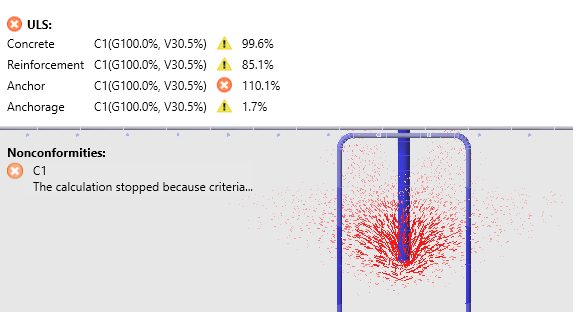
In the Connection app, anchor code checks are performed using analytical formulas. Some of these formulas have now been implemented in the Detail app, with the option to select the design standard used for code checking. Unlike Connection, anchorage in Detail is treated as a discontinuity region, where the reinforcement of the concrete block is considered using the advanced 3D CSFM method.
During the webinar, a practical example will demonstrate a comparison between the code-check of a washer plate anchors using 3D CSFM and manual calculation.
The prevailing constraints associated with exporting anchoring from Connection to Detail will be thoroughly addressed. Limitations may change with advancements in functionality and ongoing app improvements.
Webinar Archive
To gain a basic understanding of anchoring design in IDEA StatiCa Connection and Detail, we recommend watching the previous two webinars: