1 New project
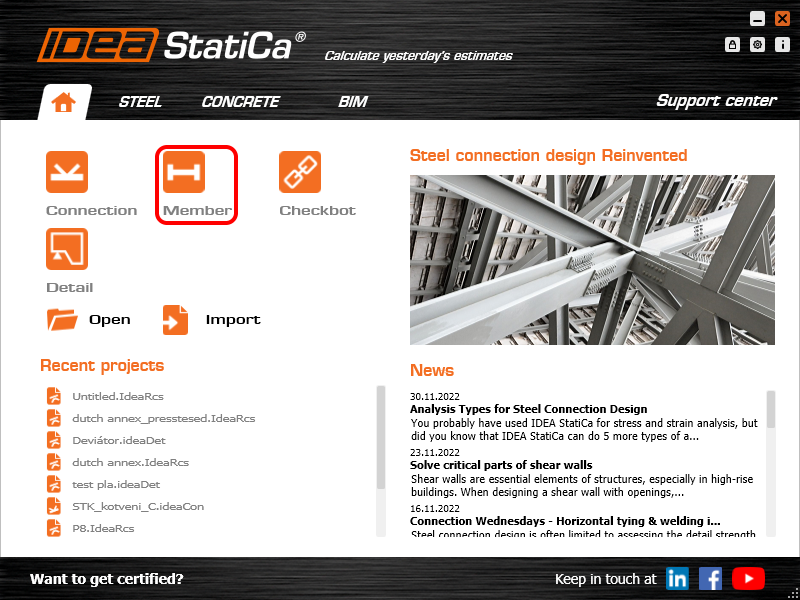
Open IDEA StatiCa and select the Member application.
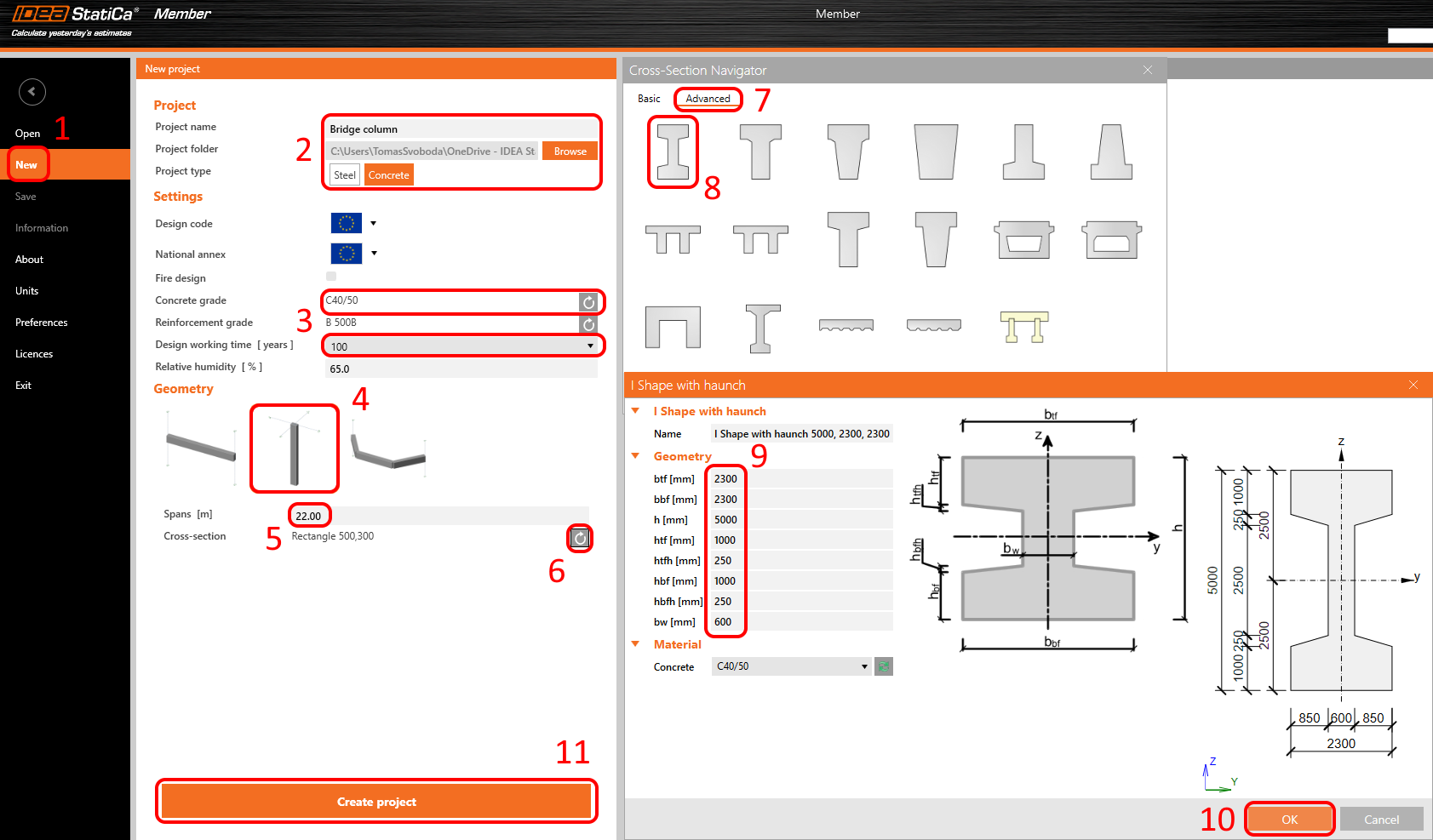
Create a new project (1), type its name, and select a folder where it will be saved. Then, choose the project type Concrete (2), and change the Concrete grade and Design working time (3). Choose the type of topology (4). Define the high of the column to 22 m (5). Click on the arrow (6) to set the cross-section. Select the Advanced (7) tab then I shape with haunch (8). Chance the dimensions (9) and click on the OK button (10). Finally, click on Create project (11).
2 Design
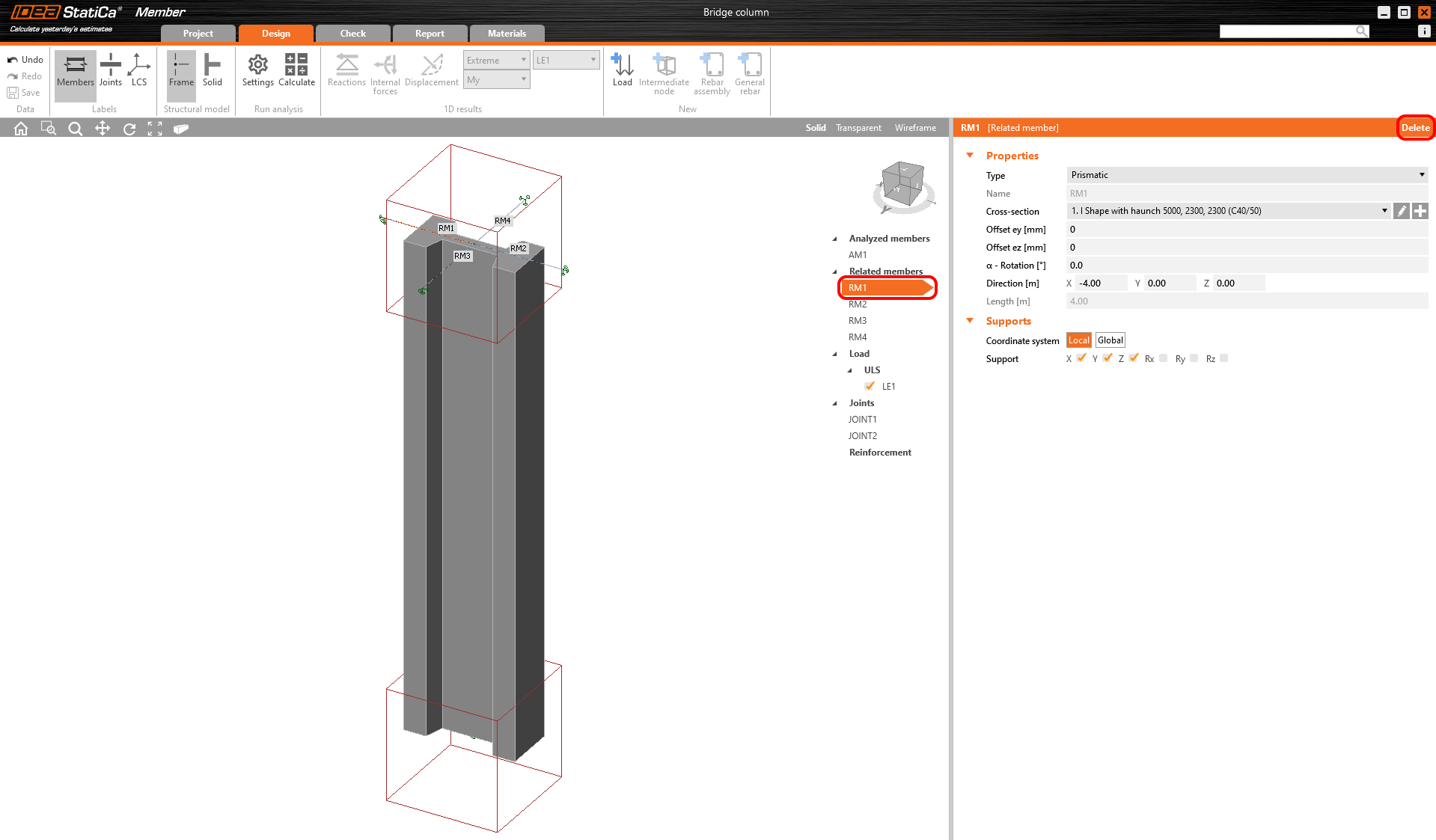
The column is now created with related members. Delete all Related members.
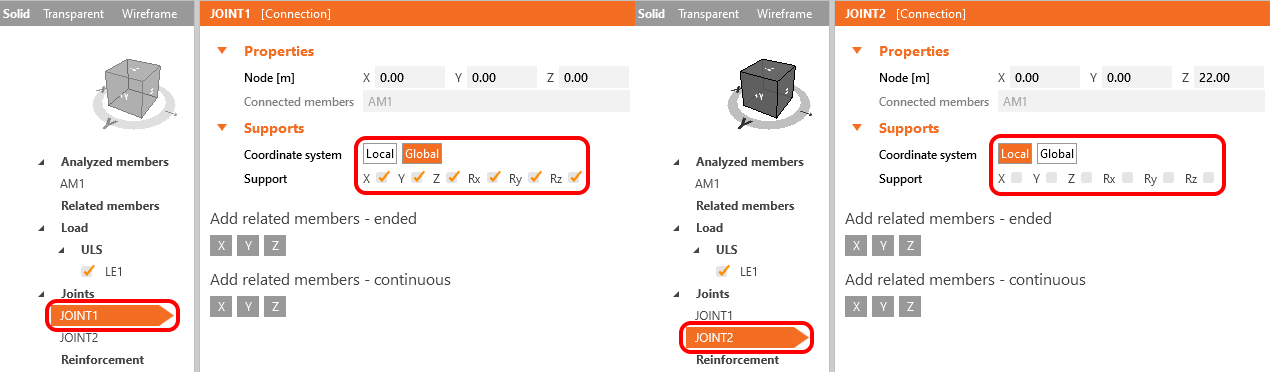
The modification of supports is needed. To do that, select JOINT1 and modify the support. After that select the second JOINT2 and change the support too. Degrees of freedom are defined in the figure below.
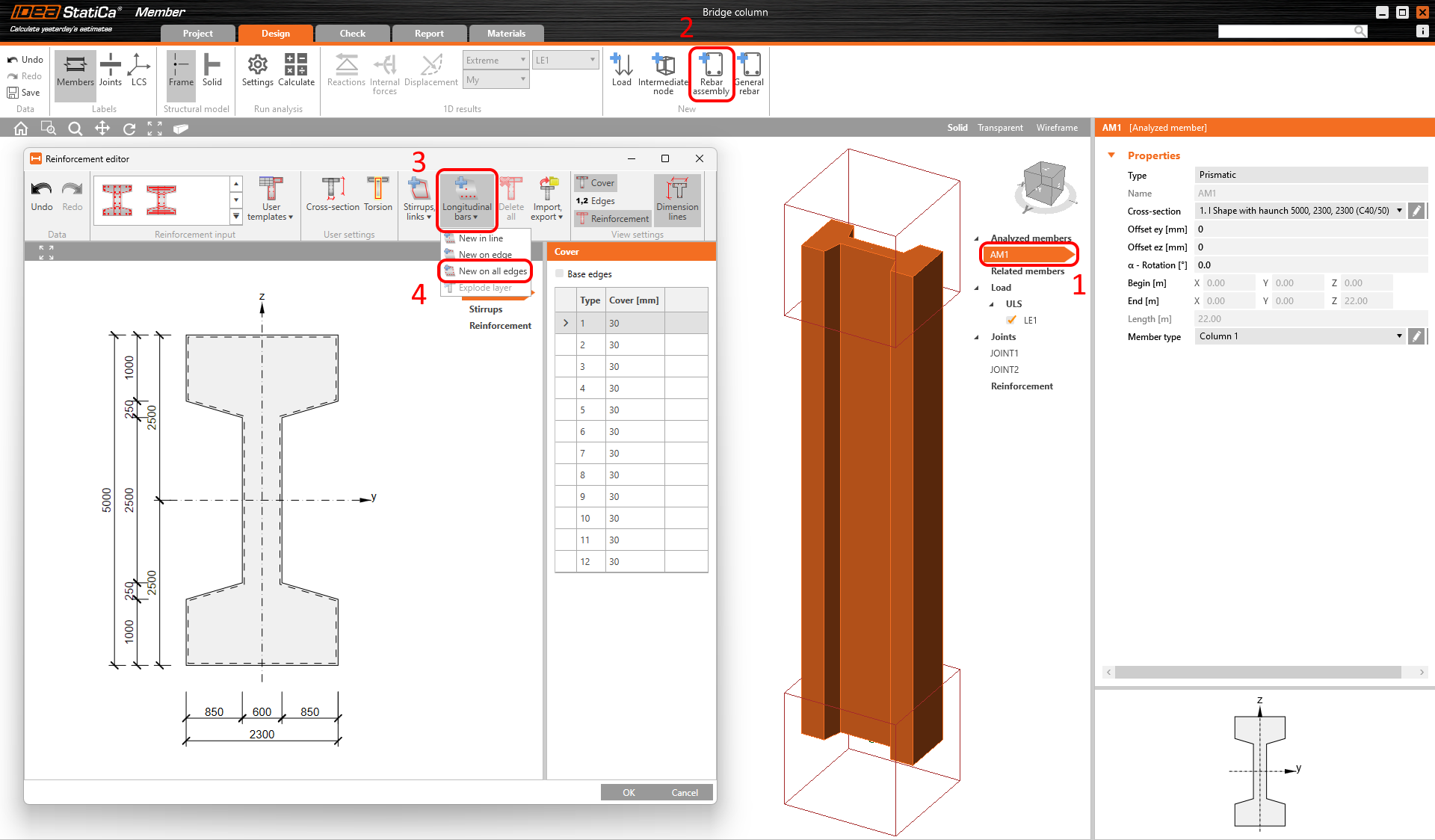
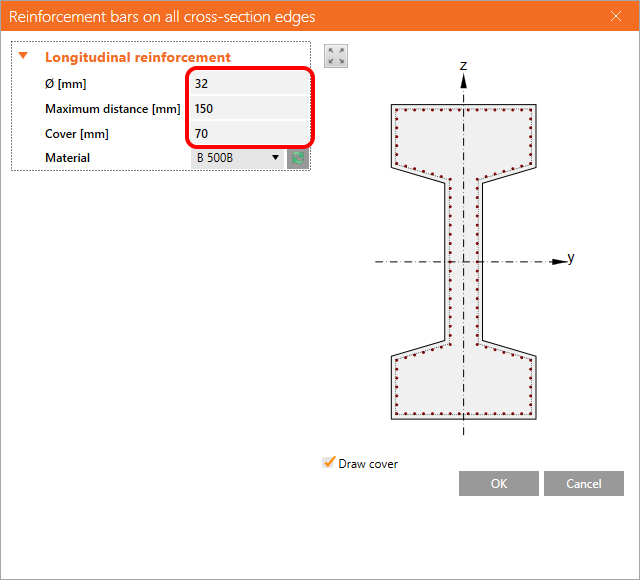
The next step is to define the reinforcement layout. Select the analyzed member AM1 (1) and click on the button. Then select -> .